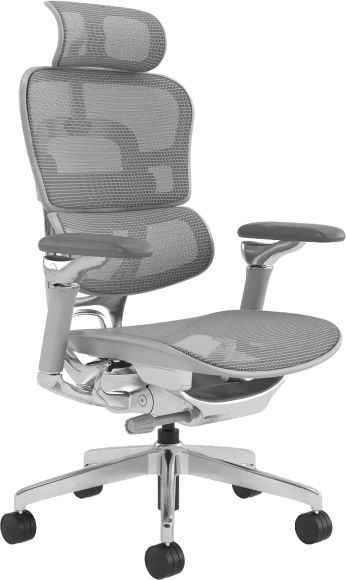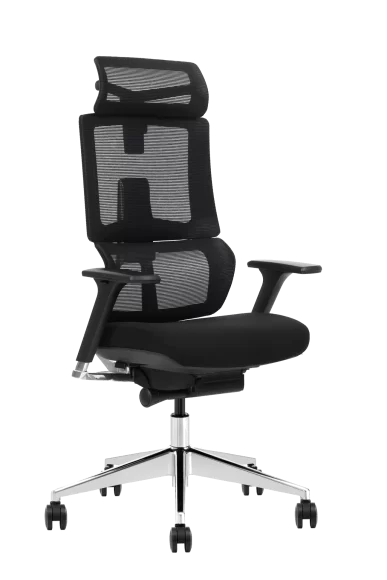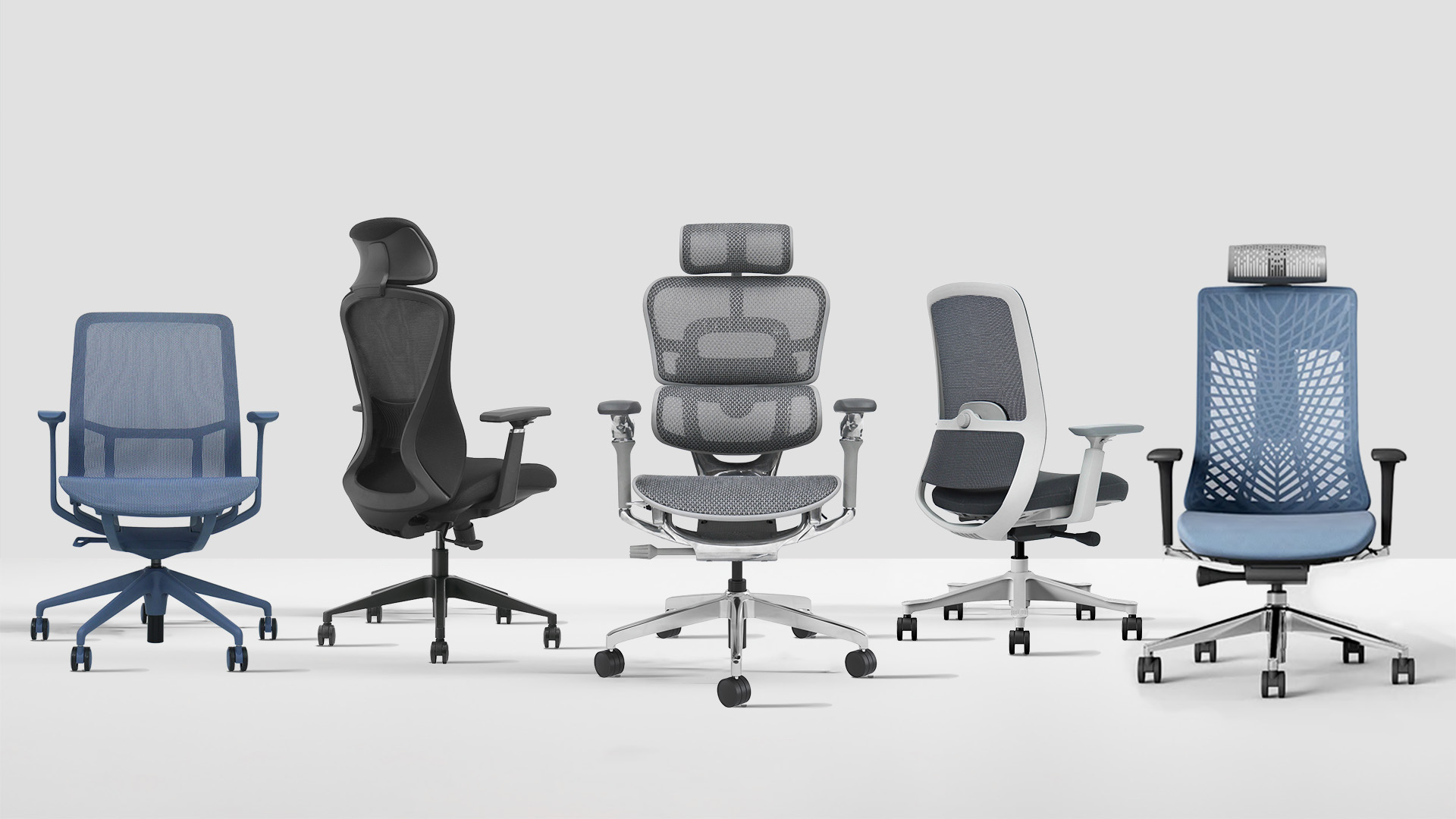
The main types of office chairs include task chairs, ergonomic chairs, mesh chairs, executive chairs, conference chairs, visitor chairs, drafting chairs, big and tall chairs, and active seating. Each type is designed for a different combination of sitting time, workstation height, user requirements and workspace function.
For commercial projects, choosing an office chair is not simply a matter of style. The wrong chair type can create fit problems, increase maintenance requirements and make it harder to standardize seating across offices, meeting rooms and shared workspaces.
This guide explains the main office chair categories, where each one works best and what procurement teams, distributors and project buyers should specify before ordering. Explore VASEAT’s complete range of office chairs for wholesale and commercial projects.
Main Types of Office Chairs
Office chairs can be grouped according to their primary function, adjustment level and intended workspace. Some categories overlap—for example, an ergonomic chair may also use a mesh backrest—but each type has a different role in a commercial seating plan.
Task Chairs
Task chairs are general-purpose desk chairs designed for everyday office work. They normally include seat-height adjustment, a swivel base, casters and basic back support.
Best suited to:
- General staff workstations
- Shared desks and rotating seating
- Administrative and short-to-moderate sitting tasks
- Projects requiring a practical standard chair across many workstations
Buyers should check the seat-height range, cushion resilience, backrest shape, caster type and ease of cleaning. Basic task chairs may not provide enough adjustment for users who remain seated for extended periods.
Ergonomic Office Chairs
Ergonomic office chairs provide greater adjustment and support than basic task chairs. They are intended for long-duration desk work and workforces with different body sizes and sitting preferences.
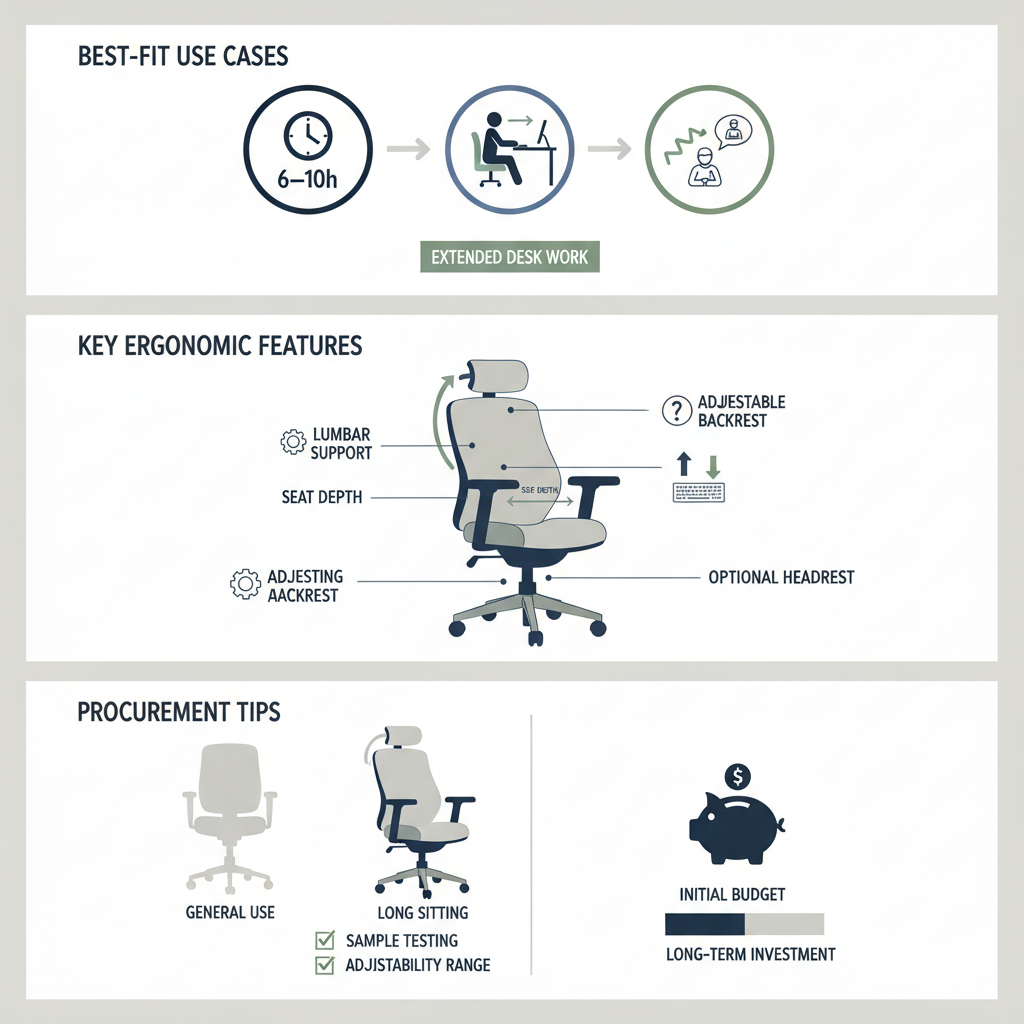
Typical features include:
- Adjustable lumbar support
- Seat-depth adjustment
- Height- or multi-direction adjustable armrests
- Backrest recline and tilt locking
- Adjustable or optional headrest
For bulk orders, the number of advertised adjustments is less important than whether the adjustment ranges suit the intended user population. An assembled sample should be evaluated before mass production.
Mesh Office Chairs
Mesh office chairs use a tensioned woven material on the backrest, seat or both. Their open structure provides airflow and creates a lighter, more technical appearance.
Best suited to:
- Warm or humid climates
- Shared offices and hot-desking areas
- Call centers and long-use workstations
- Contemporary commercial interiors
Mesh quality should be judged by fiber construction, tension recovery, edge attachment and frame support. Breathability alone does not guarantee suitable lumbar support or long-term durability.
Executive Office Chairs
Executive chairs usually feature a higher backrest, a larger seat and a more substantial appearance. They may use leather, PU, fabric, foam or mixed upholstery.
Best suited to:
- Manager and executive offices
- Client-facing private rooms
- Boardrooms requiring a coordinated premium appearance
Buyers should look beyond thick padding and visual size. Important specifications include backrest support, recline control, upholstery durability, base stability and consistent finish quality across the order.
Conference Chairs
Conference chairs are designed for meeting rooms, training spaces and collaborative areas. They generally require less adjustment than full task chairs but must remain comfortable, easy to move and visually consistent around a table.
Key specifications include:
- Seat width and table clearance
- Armrest height and ability to fit beneath the table
- Casters for flexible rooms or glides for greater stability
- Materials suitable for frequent cleaning
- Compact dimensions where room capacity is important
Visitor Chairs
Visitor chairs provide fixed or limited-adjustment seating for reception areas, waiting rooms, guest offices and meeting zones. They usually use four legs, sled bases or fixed frames rather than a gas lift and caster base.
Commercial buyers should check:
- Frame stability and declared load capacity
- Floor-protection glides
- Stacking capability where storage is required
- Easy-clean upholstery and scratch-resistant surfaces
- Color and finish consistency across public areas
Drafting Chairs
Drafting chairs are designed for desks, counters and technical work surfaces that are higher than a standard office desk. They use an extended gas lift and normally include a footring.
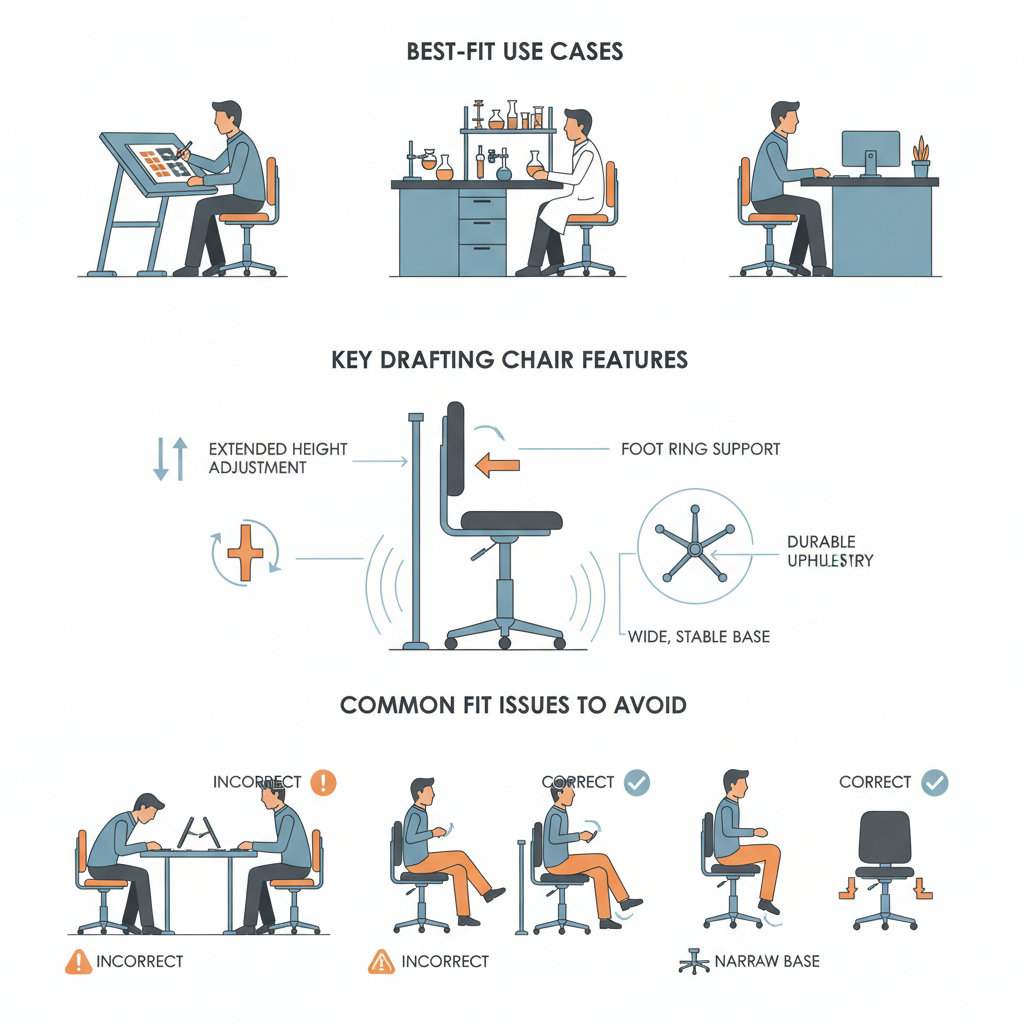
Common applications include:
- Design studios and drafting tables
- Laboratories and technical benches
- Reception counters
- Raised production or inspection workstations
The chair’s maximum height must be matched to the actual work surface. Buyers should also confirm footring height, base stability and whether the armrests interfere with the counter or desk.
Big and Tall Office Chairs
Big and tall office chairs are designed for users who need more seat space, a higher adjustment range or a reinforced chair structure. They should not be defined by external appearance alone.
Important specifications include:
- Usable seat width and seat depth
- Higher maximum seat position for taller users
- Backrest height and lumbar-support position
- Armrest spacing
- Reinforced mechanism, base and structural connections
- Clearly stated recommended user capacity and applicable test information
For mixed workforces, it is often more practical to provide a limited number of dedicated big and tall chairs than to oversize every chair in the project.
Stools and Active Seating
Wobble stools and other active seating products allow more movement than conventional fixed chairs. They are generally intended for short tasks, temporary work areas and frequent transitions between sitting and standing.
Best suited to:
- Touch-down work zones
- Collaborative and informal spaces
- Height-adjustable workstations used for short sessions
- Education, studio or creative environments
Active seating should not automatically replace a supportive task chair for full-day desk work. Buyers should evaluate base stability, anti-slip performance, height range and ease of cleaning.
How to Choose Office Chair Types by Workspace
Standard Workstations
Task chairs and ergonomic chairs fit most standard desks. General workstations may use a practical task chair, while long-duration roles normally benefit from greater lumbar, seat-depth and armrest adjustment.
Meeting and Training Rooms
Conference chairs should provide adequate short-to-medium-session comfort without creating an oversized footprint. Confirm table clearance, chair spacing and whether the room requires casters, glides or stackable seating.
Reception and Waiting Areas
Visitor chairs are usually more suitable than spare task chairs because their fixed structure creates a consistent appearance and reduces unnecessary moving parts in high-traffic public spaces.
High Desks and Counters
Use drafting chairs with an extended height range and footring. A standard task chair should not be raised or modified beyond its intended adjustment range to reach an elevated surface.
Shared and Hot-Desking Offices
Shared workspaces benefit from chairs with intuitive controls, broad adjustment ranges and materials that are easy to maintain. Mesh or hybrid chairs are often considered for ventilation, while adjustable armrests and seat depth help accommodate different users.
How to Choose by User and Sitting Time
Short or Occasional Sitting
Visitor chairs, conference chairs, stools and basic task chairs can suit short sessions where users do not require extensive individual adjustment.
Long-Duration Desk Work
Choose ergonomic, supportive mesh or hybrid chairs with appropriate lumbar support, seat dimensions, tilt functions and armrest adjustment. Material alone does not determine whether a chair is suitable for extended use.
Different Body Sizes
Compare minimum and maximum seat height, usable seat depth, seat width, backrest height and armrest spacing. Dedicated petite or big and tall models may be needed for users outside the adjustment range of the standard project chair.
Climate and Material Preferences
Mesh can provide greater airflow in warm environments, while foam and upholstered seating offer a softer surface and more color or texture options. Hybrid chairs combine a mesh backrest with a cushioned seat.
See the comparison of mesh and foam office chairs for more detailed material guidance.
Office Chair Types Comparison Table
| Office Chair Type | Best For | Adjustment Level | Key Procurement Check |
|---|---|---|---|
| Task chair | General desk work and shared offices | Basic to medium | Seat range, cushion, base and caster type |
| Ergonomic office chair | Long-duration workstation use | Medium to high | Lumbar, seat depth, armrests and tilt range |
| Mesh chair | Warm climates and ventilated workstations | Varies by model | Mesh tension, edge construction and frame support |
| Executive chair | Manager and client-facing offices | Medium to high | Back support, upholstery and footprint |
| Conference chair | Meeting and training rooms | Fixed to medium | Table clearance, movement and cleaning |
| Visitor chair | Reception and guest seating | Usually fixed | Frame stability, glides and surface durability |
| Drafting chair | High desks and technical workstations | Medium to high | Seat-height range, footring and base stability |
| Big and tall chair | Taller or larger-framed users | Medium to high | Usable dimensions, capacity and reinforced structure |
| Stool or active seating | Short tasks and touch-down zones | Basic | Base stability, anti-slip design and height range |
What Commercial Buyers Should Specify
An RFQ should describe the required performance rather than requesting only a generic “office chair.” Include the following information:
- Chair type and application: Task, ergonomic, conference, visitor, drafting or another defined category.
- Quantity by workspace: Separate quantities for workstations, meeting rooms, reception areas and specialist users.
- User range: Intended user heights, body sizes and any dedicated big and tall requirements.
- Dimensions: Seat height, depth, width, backrest height, armrest spacing and overall footprint.
- Adjustments: Lumbar, seat depth, armrests, headrest, tilt, locking positions and tension control.
- Materials: Mesh, foam, upholstery, frame, base and finish requirements.
- Floor conditions: Carpet, hard flooring or specialist environments requiring specific casters or glides.
- Testing: Required standard, tested model, test laboratory and report documentation.
- Service requirements: Warranty, replacement parts, packaging, assembly and delivery arrangements.
- Sampling: Complete chair samples and material swatches before final production approval.
Do not assume that every product in a manufacturer’s range has been tested to the same standard. Test reports should identify the applicable chair model or component.
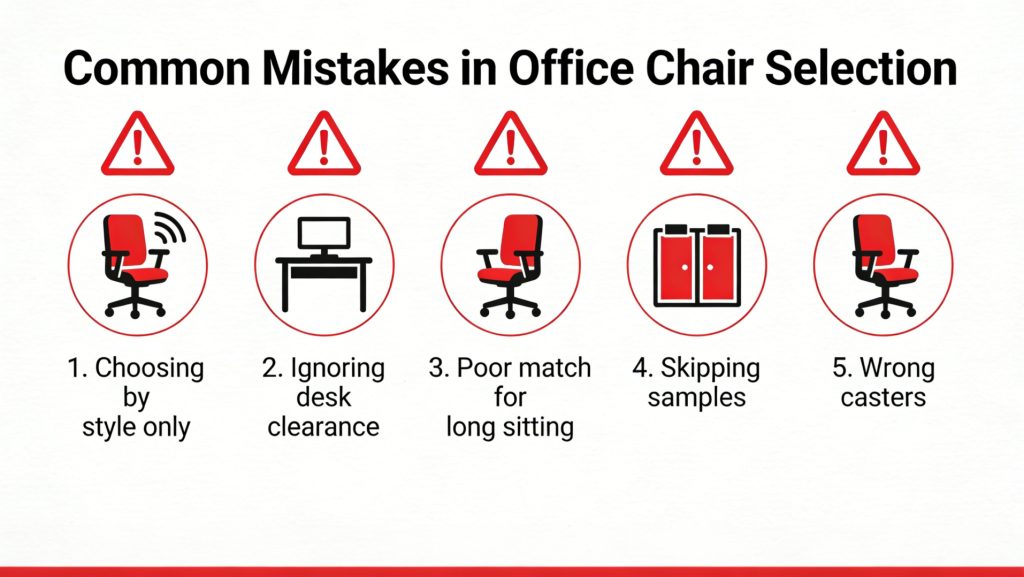
Common Mistakes When Selecting Office Chair Types
- Choosing chairs by appearance without defining the intended task
- Using basic task chairs for roles requiring greater long-term adjustment
- Treating mesh, leather or fabric as complete chair types rather than material choices
- Ignoring desk clearance and armrest compatibility
- Ordering drafting chairs without confirming the work-surface height
- Using one chair size for every user without checking the adjustment range
- Skipping samples before a large production order
- Failing to plan for replacement casters, gas lifts, arm pads or upholstery
Office Chair Type FAQs
What are the main types of office chairs?
The main types include task chairs, ergonomic chairs, mesh chairs, executive chairs, conference chairs, visitor chairs, drafting chairs, big and tall chairs, and stools or active seating.
What is the difference between a task chair and an ergonomic chair?
A task chair provides basic adjustment and mobility for general desk work. An ergonomic chair normally offers broader adjustment in areas such as lumbar support, seat depth, armrests and recline.
Are mesh chairs a separate office chair type?
Mesh describes the support material rather than the complete function of the chair. A mesh chair may also be classified as a task chair, ergonomic chair, conference chair or executive chair depending on its structure and adjustments.
When should a drafting chair be used?
A drafting chair should be used with high desks, counters, laboratory benches and elevated technical workstations. It requires an extended seat-height range and a properly positioned footring.
Who needs a big and tall office chair?
Users who cannot achieve a suitable fit within a standard chair’s seat width, depth, backrest height or height-adjustment range may need a dedicated big and tall model.
Can one office chair type be used throughout an entire project?
A broadly adjustable task or ergonomic chair may cover most standard workstations, but meeting rooms, reception areas, high desks and users with specialist sizing requirements usually need different chair types.
What should be included in an office chair RFQ?
Include chair type, quantity, application, user range, dimensions, required adjustments, material preferences, floor type, test-document requirements, warranty and sample-approval process.
Choose Office Chairs by Function, Not Appearance Alone
The most effective commercial seating plan normally uses a small group of chair types matched to different workspace functions. Task or ergonomic chairs can cover standard workstations, conference and visitor chairs serve shared spaces, drafting chairs support elevated surfaces, and dedicated big and tall models accommodate users outside the standard adjustment range.
Define the intended use, adjustment range, dimensions, materials and evidence requirements before comparing quotations. Learn about VASEAT’s distributor and project cooperation, or contact VASEAT to discuss office chair types for wholesale, OEM, ODM and commercial supply.