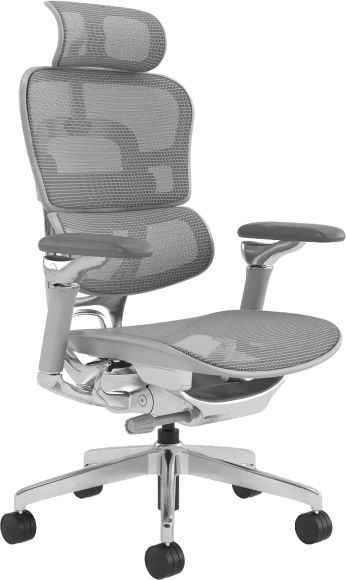
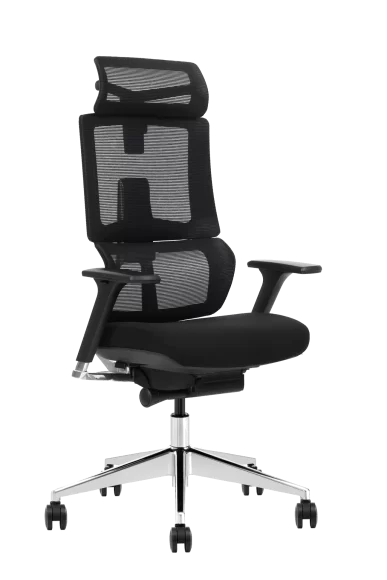
Office chair armrests that are too low are a common ergonomic problem that can lead to shoulder strain, wrist discomfort, and long-term posture issues. When armrests fail to properly support the forearms, the upper body muscles must compensate, increasing fatigue and injury risk during prolonged sitting.
This guide explains how to identify low armrests, why they cause real ergonomic problems, and how to fix the issue using proven adjustments and proper workstation setup. Whether you use an ergonomic office chair or a standard desk chair, correcting armrest height — alongside reviewing the overall ergonomic desk chair dimensions — can significantly improve comfort, posture, and long-term musculoskeletal health.
Why Armrests That Are Too Low Cause Real Ergonomic Problems
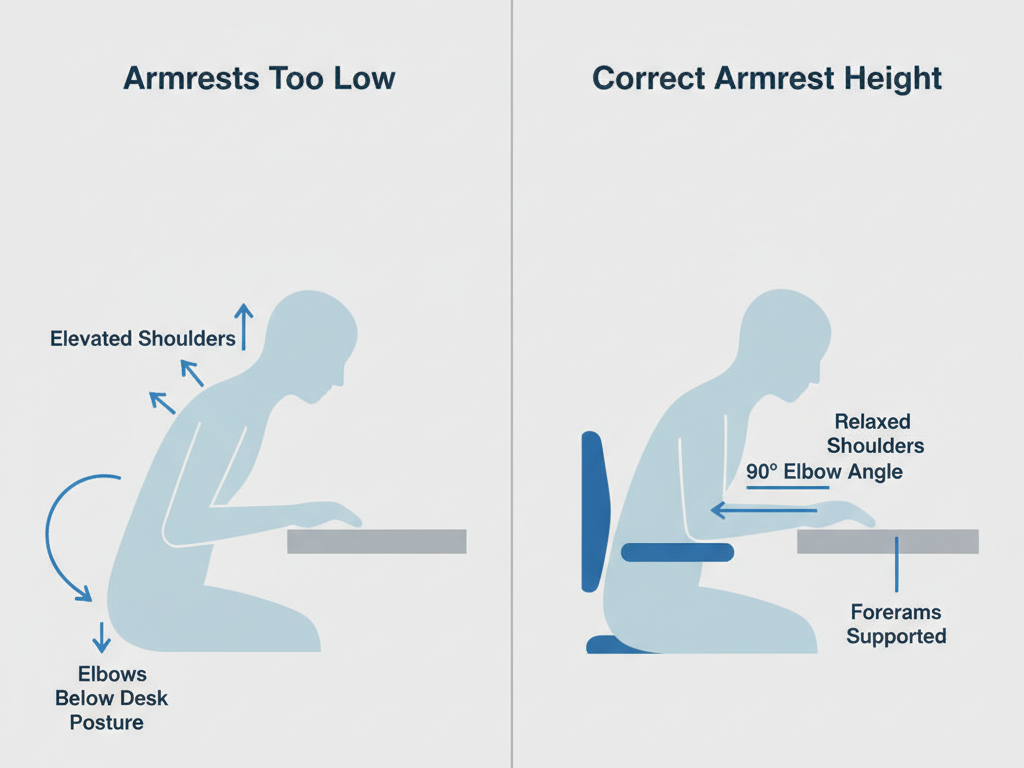
Armrests exist to reduce the load on the shoulders, neck, and upper back. When they are too low, this support function is lost, forcing the body to compensate in ways that increase strain.
Increased shoulder muscle load
When armrests are too low, the shoulders must actively support the weight of the arms. This increases activation of the trapezius and deltoid muscles, leading to muscle fatigue and stiffness. Over time, this can contribute to chronic shoulder and neck tension.
Greater stress on wrists and forearms
Without proper arm support, the forearms remain suspended while typing or using a mouse. This increases pressure on wrist tendons and forearm muscles, raising the risk of repetitive strain injuries.
Forward-leaning posture and spinal stress
Unsupported arms often cause users to lean forward toward the desk. This shifts the spine out of its neutral position and increases pressure on spinal discs and back muscles.
Higher risk of long-term repetitive strain injury
Improper armrest height has been associated with common workstation-related conditions, including:
- Shoulder tendon irritation
- Neck muscle strain
- Forearm fatigue
- Wrist discomfort
- Upper back tension
These problems typically develop gradually due to prolonged unsupported arm positioning.
How to Tell If Your Office Chair Armrests Are Too Low
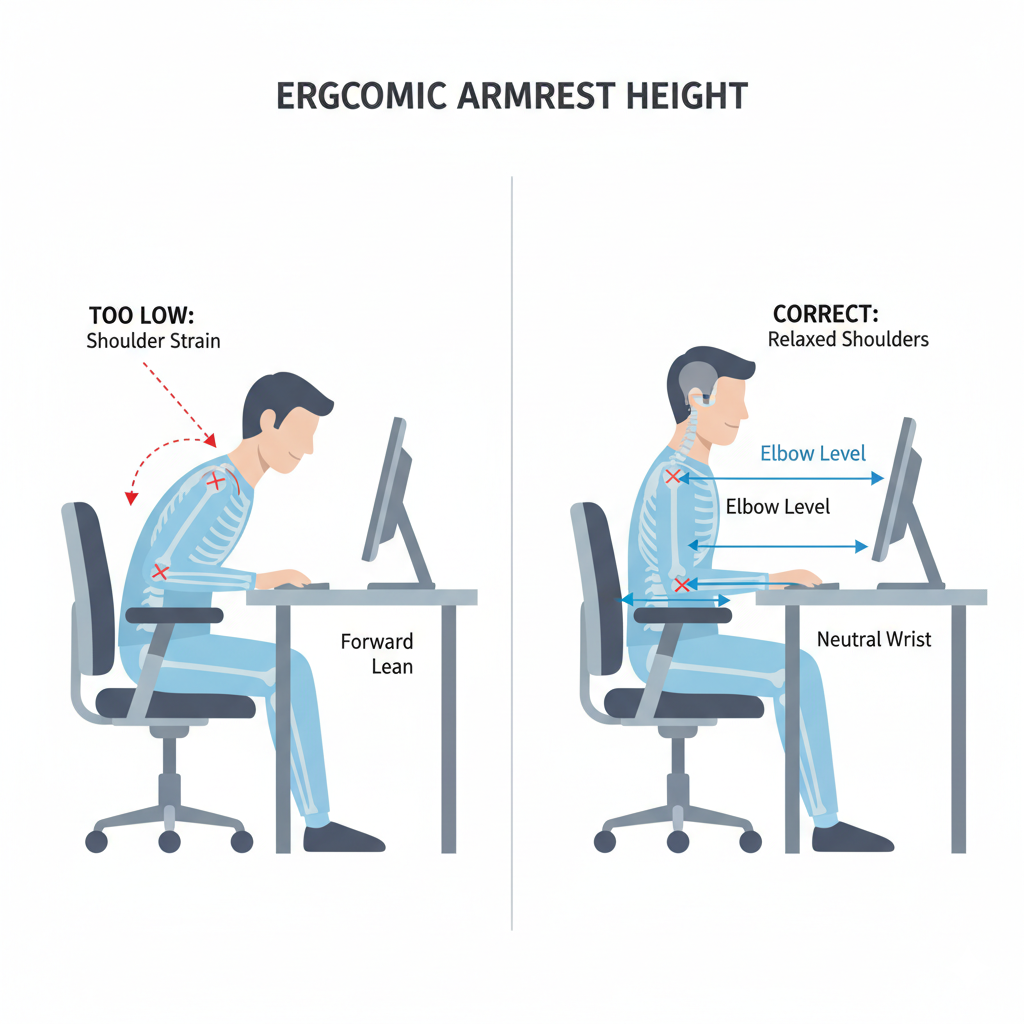
You can quickly determine whether your armrests are too low by observing your posture while sitting normally.
Quick self-assessment checklist
Your armrests may be too low if you notice any of the following:
- Your shoulders feel tense or elevated
- Your elbows hang below desk height
- Your forearms are unsupported while typing
- You lean forward to reach your keyboard
- Your arms rest primarily on the desk instead of the chair
If these signs are present, your armrests are likely not providing proper ergonomic support.
Correct Ergonomic Armrest Height Reference
Proper armrest height allows the arms to rest naturally without lifting or dropping the shoulders.
Ideal ergonomic positioning includes:
- Elbows bent at approximately 90 to 110 degrees
- Shoulders relaxed, not elevated or slouched
- Forearms parallel or slightly angled downward
- Armrests supporting forearms without pushing shoulders upward
Armrests should support the arms without forcing the shoulders into an unnatural position.
Common Reasons Why Office Chair Armrests Are Too Low
Several factors can cause armrests to sit below the proper ergonomic height.
Limited armrest adjustment range
Many office chairs have armrests that cannot adjust high enough to support users with longer torsos or taller desk setups.
Chair designed for average body dimensions
Office chairs are often designed around average population measurements, which may not fit individual body proportions.
Incorrect chair or desk height setup
If the chair seat is too low or the desk is too high, armrests may fall below the correct ergonomic level — a situation best resolved with a high-base desk chair with adjustable armrests designed to match counter-height and standing desk configurations.
Fixed or non-adjustable armrests
Basic office chairs often have fixed armrests that cannot accommodate different user heights or workstation configurations.
Armrest Height and Desk Height Must Work Together
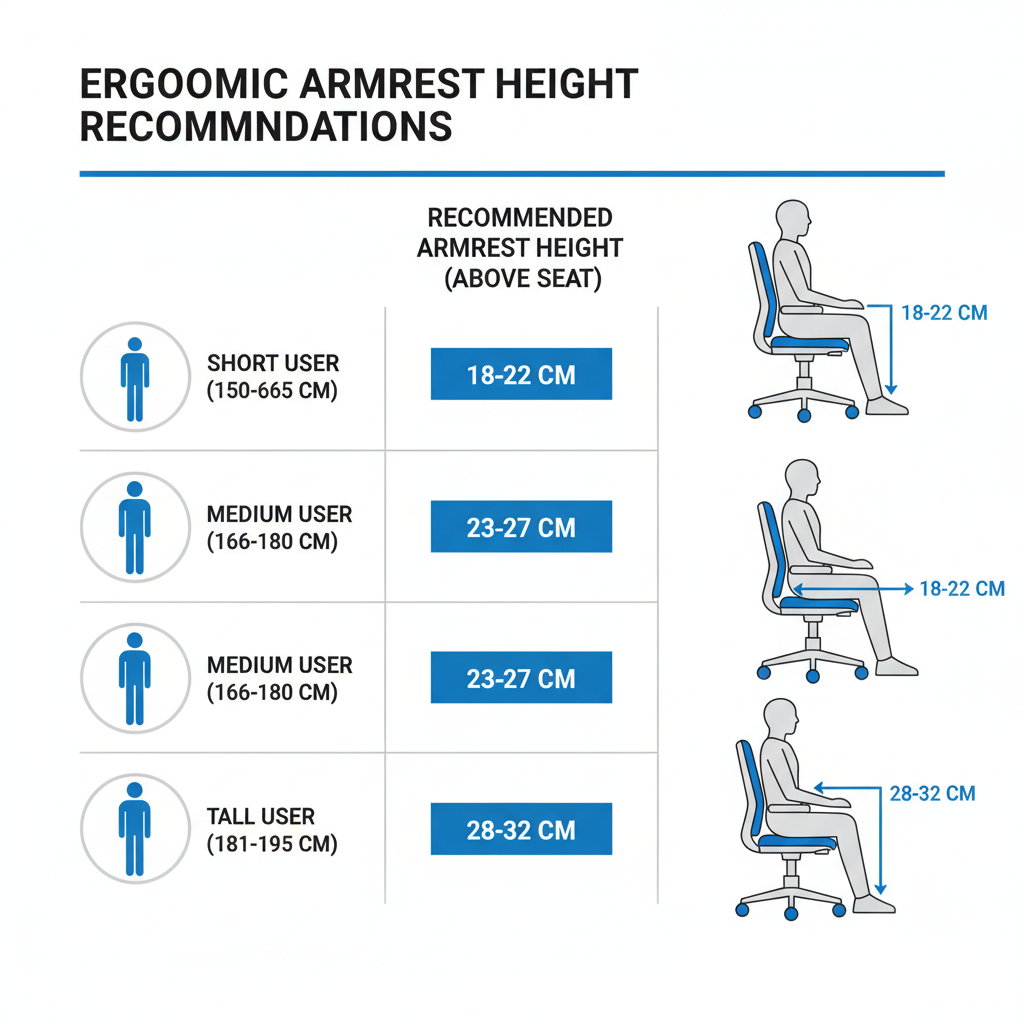
Armrest height cannot be evaluated independently from desk height and seat height. All three components must work together to support proper posture.
Ideal ergonomic alignment reference
| Component | Recommended ergonomic relationship |
| Armrests | Same height or slightly below desk surface |
| Elbows | 90–110 degree angle |
| Shoulders | Relaxed and neutral |
| Forearms | Supported without lifting shoulders |
| Desk height | Allows neutral wrist and elbow positioning |
Immediate Fixes If Your Chair Armrests Are Too Low
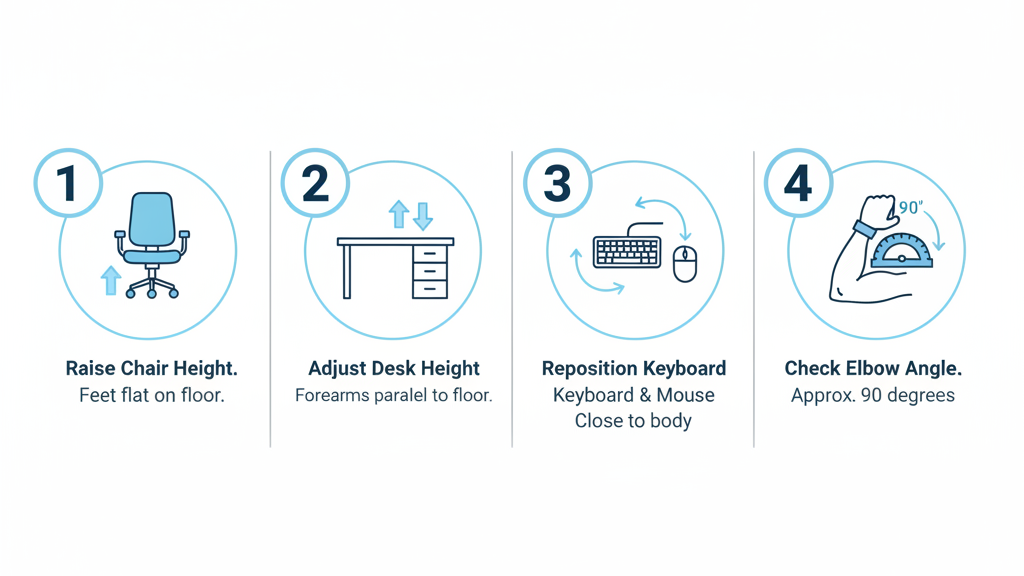
Several simple adjustments can improve arm support immediately.
Raise your chair height
Increasing chair height can raise armrests relative to desk level. However, your feet must remain flat on the floor to maintain proper lower body support.
Lower your desk height if adjustable
If using an adjustable desk, lowering it can improve alignment between armrests and desk surface.
Improve keyboard and mouse positioning
Position input devices closer to your body to reduce the need for arm elevation and muscle compensation.
Use armrest height extenders or cushions
Armrest pads or cushions can increase support height and improve comfort when adjustment range is limited.
Long-Term Solutions for Proper Arm Support
If adjustment alone does not resolve the issue, more permanent ergonomic solutions may be necessary.
Choose chairs with adjustable armrests
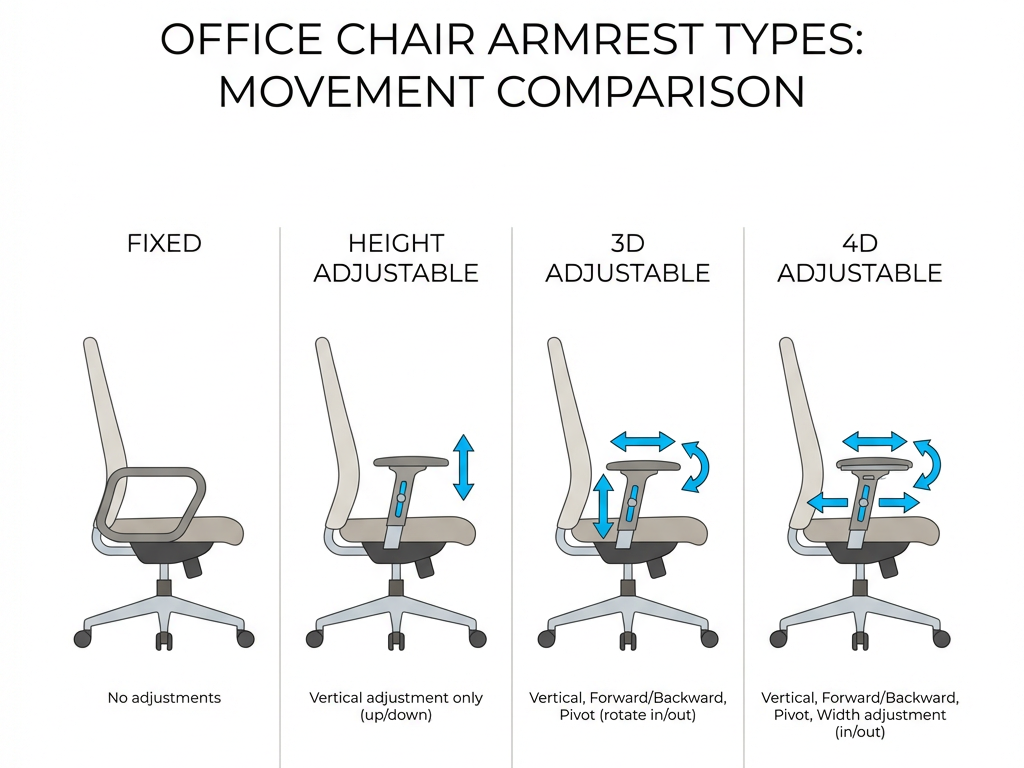
Office chairs with adjustable armrests allow users to customize height for proper support.
Common armrest adjustment types include:
| Armrest type | Adjustment capability |
| Fixed armrests | No adjustment |
| Height adjustable | Vertical adjustment only |
| 3D armrests | Height, forward/backward, pivot |
| 4D armrests | Height, width, depth, and angle |
More adjustment options allow better ergonomic customization.
Ensure chair fits your body dimensions
Torso length, elbow height, and shoulder position all affect proper armrest height. Chairs should accommodate individual body proportions.
Optimize the entire workstation setup
Proper ergonomics depends on coordination between chair height, desk height, monitor position, and keyboard placement.
Recommended Armrest Height Based on User Height
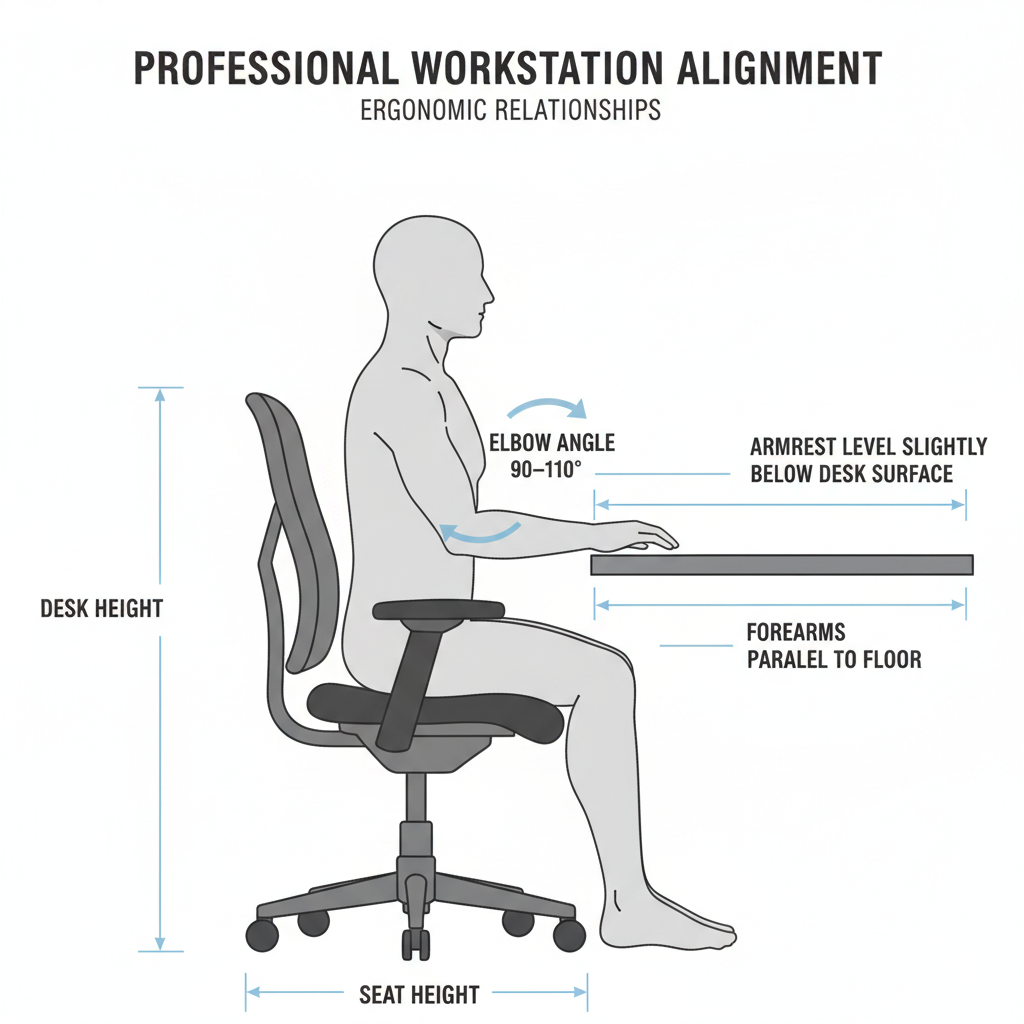
While individual proportions vary, general ergonomic reference ranges can help guide adjustments.
| User height | Recommended armrest height above seat |
| 150–165 cm | 18–22 cm |
| 165–180 cm | 20–25 cm |
| 180–195 cm | 23–28 cm |
| 195+ cm | 25–30 cm |
These ranges support natural elbow positioning and shoulder relaxation.
When It May Be Better Not to Use Armrests
In some situations, armrests may not be necessary if the desk provides proper forearm support. Armrests may be unnecessary if:
- The desk surface supports forearms directly
- Armrests interfere with desk positioning
- Armrests prevent proper chair positioning
Proper forearm support can come from either the chair or desk, depending on setup.
Benefits of Proper Armrest Height
Correct armrest positioning improves both comfort and long-term health. Benefits include:
- Reduced shoulder and neck strain
- Improved posture and spinal alignment
- Lower muscle fatigue during extended sitting
- Improved typing comfort and efficiency
- Reduced risk of repetitive strain injury
Proper arm support helps maintain neutral body positioning throughout the workday.
Frequently Asked Questions
Should armrests be level with desk height?
Armrests should be approximately level with or slightly below desk height to allow natural elbow positioning and relaxed shoulders.
Can armrests that are too low cause shoulder pain?
Yes. Low armrests increase shoulder muscle load, which can lead to fatigue, stiffness, and discomfort over time.
What is the correct ergonomic armrest height?
Correct armrest height supports forearms while keeping shoulders relaxed and elbows at approximately 90 to 110 degrees.
Is it bad to work without armrests?
Working without armrests can be acceptable if the desk supports forearms properly. However, armrests help reduce muscle strain when properly adjusted.
Why do many office chairs have armrests that feel too low?
Many chairs are designed for average body proportions and may not accommodate individual ergonomic requirements.
Conclusion
Office chair armrests that are too low can significantly increase muscle strain, reduce comfort, and negatively affect posture during prolonged sitting. Without proper arm support, the shoulders, neck, and forearms must compensate, increasing fatigue and injury risk.
Fortunately, adjusting chair height, desk height, and workstation positioning can often resolve the problem. Choosing a chair with properly adjustable armrests and ensuring ergonomic alignment between the chair and desk provides the most effective long-term solution.
Proper armrest height plays a critical role in maintaining healthy posture, reducing strain, and improving overall workstation comfort and productivity.