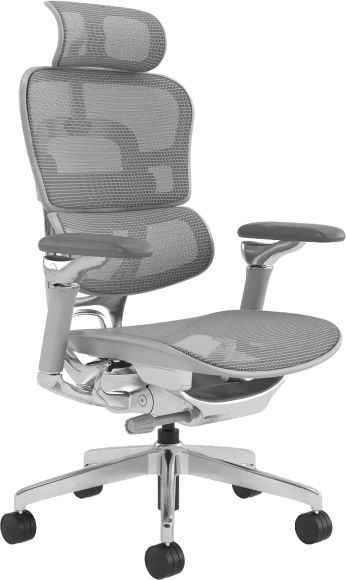
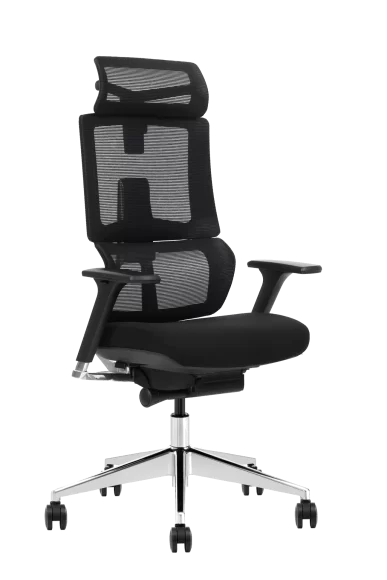
A Sore Back From Office Chair is one of the most common problems among office workers, remote employees, and anyone who spends long hours sitting. What many people don’t realize is that the issue is often not your back itself, but how your office chair supports—or fails to support—your spine.
Sitting increases pressure on spinal discs compared to standing, and poor chair design or incorrect adjustments can further amplify this load. Over time, insufficient support, improper posture, and static sitting can lead to muscle fatigue, spinal strain, and chronic discomfort.
This guide explains why your office chair causes back pain, how to diagnose the problem, how to fix it immediately, and how to choose the right chair to protect your spine long-term.
Why Your Office Chair Is Causing a Sore Back
Your spine depends on proper structural support to maintain its natural alignment. When your office chair fails to provide that support, the muscles, discs, and joints in your back must compensate.
Lack of proper lumbar support flattens the natural spinal curve
The lumbar spine naturally curves inward. Without adequate lumbar support, this curve flattens, placing increased stress on spinal discs and surrounding muscles. Over time, this causes fatigue, stiffness, and soreness in the lower back.
Incorrect seat height shifts load to the lower back
If your chair is too high, your feet may not rest flat, causing instability. If it is too low, your hips tilt backward. Both situations disrupt pelvic alignment and increase pressure on the lumbar spine.
Seat depth that does not match your leg length causes slouching
When the seat is too deep, users slide forward, losing back support. When too shallow, the thighs are not fully supported. Both scenarios increase muscular strain and reduce spinal stability.
Static sitting reduces muscle support and increases fatigue
Remaining in one position for extended periods reduces circulation and causes muscle fatigue. When muscles tire, they provide less support to the spine, increasing pressure on passive structures like discs and ligaments.
Biomechanics: How Sitting in an Office Chair Increases Spinal Pressure
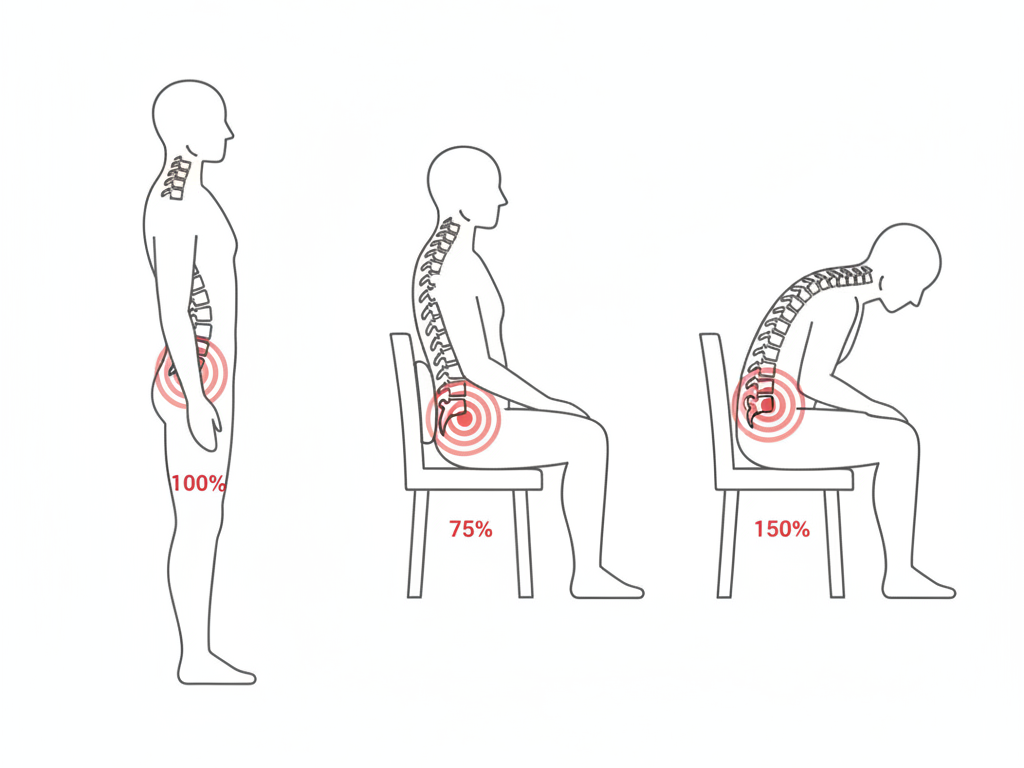
Sitting changes how forces are distributed through the spine. Compared to standing, sitting increases disc pressure, especially when posture is unsupported.
| Posture | Relative Disc Pressure |
|---|---|
| Standing | Baseline pressure |
| Proper supported sitting | Increased pressure |
| Slouched sitting | Highest pressure |
When lumbar support is missing, the spine shifts into a flexed position. This increases pressure on intervertebral discs and supporting ligaments, accelerating fatigue and discomfort.
Proper ergonomic support helps distribute load evenly and reduces strain on spinal structures — a chair with adjustable armrests that support natural arm positioning is one of the most effective interventions for the shoulder tension that feeds upper back pain.
Signs Your Office Chair Is the Real Cause of Your Back Pain
Certain symptoms strongly indicate that your office chair is contributing to your sore back.
Pain develops after sitting and improves when standing
If discomfort appears after sitting but improves when walking or standing, the chair is likely a major contributing factor.
You constantly adjust your position to stay comfortable
Frequent shifting signals that your chair is not providing adequate structural support.
Slouching happens without conscious effort
If maintaining an upright posture requires constant effort, your chair may lack proper lumbar and structural support.
Pain concentrates in the lower or mid back
Localized soreness in these regions often results from improper load distribution caused by inadequate chair design or adjustment.
Checklist: How to Test If Your Office Chair Is Causing the Problem
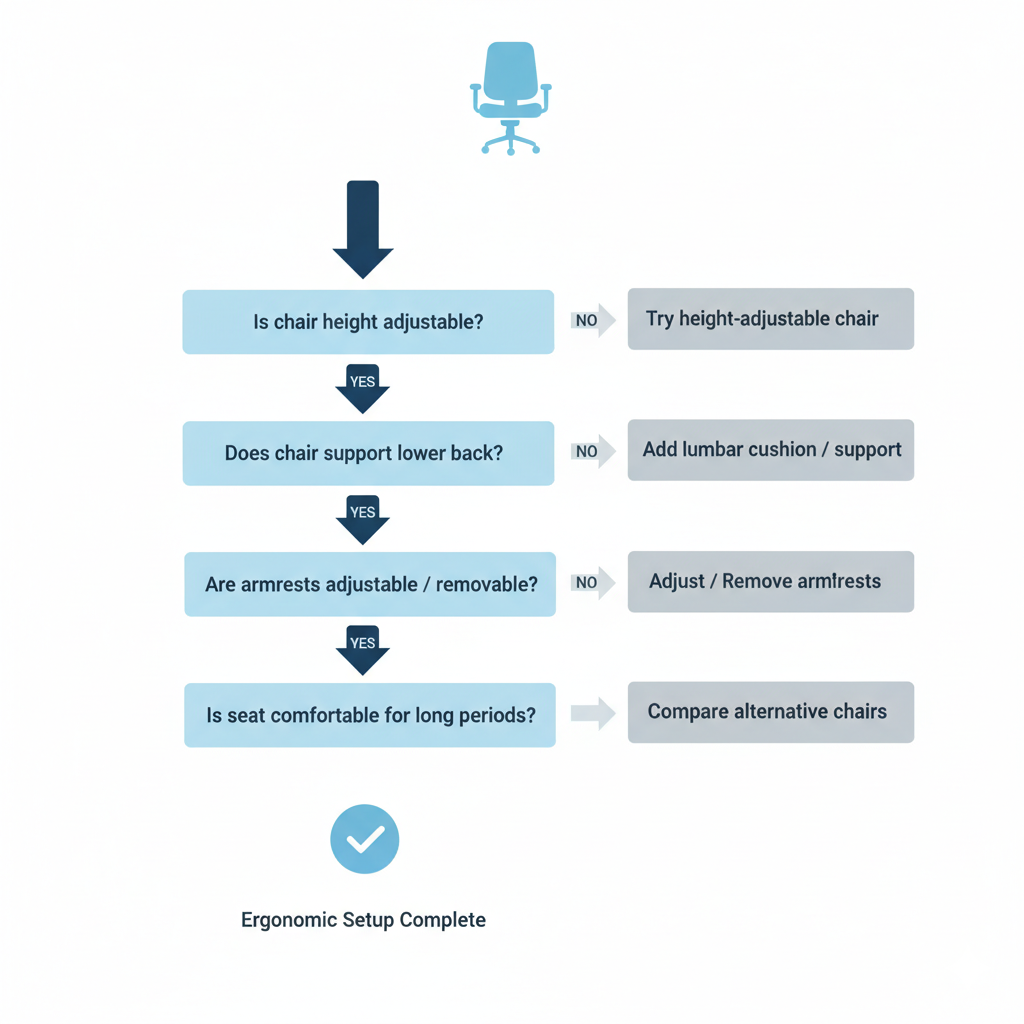
You can use simple tests to confirm whether your chair is the source of your discomfort.
Sit test
Sit normally for 30 to 60 minutes. If soreness develops consistently, your chair may be contributing to spinal strain.
Lumbar support test
Place a small cushion or rolled towel behind your lower back. If discomfort decreases, insufficient lumbar support is likely the cause.
Height adjustment test
Adjust your seat height so your feet rest flat and your knees form approximately a 90-degree angle. Improvement indicates prior misalignment.
Alternative chair test
Use a different chair with better ergonomic support. If symptoms improve, your original chair is likely the problem.
How to Fix a Sore Back Without Replacing Your Office Chair
In many cases, adjusting your current chair properly can significantly reduce discomfort.
Adjust seat height so feet rest flat
Your feet should rest flat on the floor, with knees at or slightly below hip level. This promotes proper pelvic alignment.
Adjust lumbar support to match your spinal curve
Position lumbar support so it fits naturally into the curve of your lower back. This helps maintain spinal alignment.
Adjust backrest angle between 100° and 110°
A slightly reclined position reduces disc pressure compared to sitting upright at 90 degrees.
Adjust armrests to reduce shoulder strain
Armrests should support your arms without lifting your shoulders. This reduces tension in the upper spine.
Position your screen at eye level
Your monitor should align with your natural line of sight. This prevents forward head posture and upper spine strain.
Common Office Chair Design Problems That Cause Back Pain
Certain chair design limitations directly contribute to back discomfort.
- Fixed lumbar support that cannot be adjusted
Fixed lumbar support that cannot be adjusted fails to accommodate different spinal shapes and body sizes — an adjustable standing desk chair with an adaptive reclining backrest addresses exactly this problem for users at raised workstations. - Flat seat design without contour support
Flat seats provide insufficient pressure distribution and reduce stability. - Incorrect seat depth design
Improper depth disrupts thigh support and spinal alignment. - Limited recline or tilt functionality
Chairs without recline force the spine into static, high-pressure positions. - Poor structural stability
Unstable chairs reduce overall support and increase muscular effort.
Office Chair Features That Prevent and Reduce Back Pain
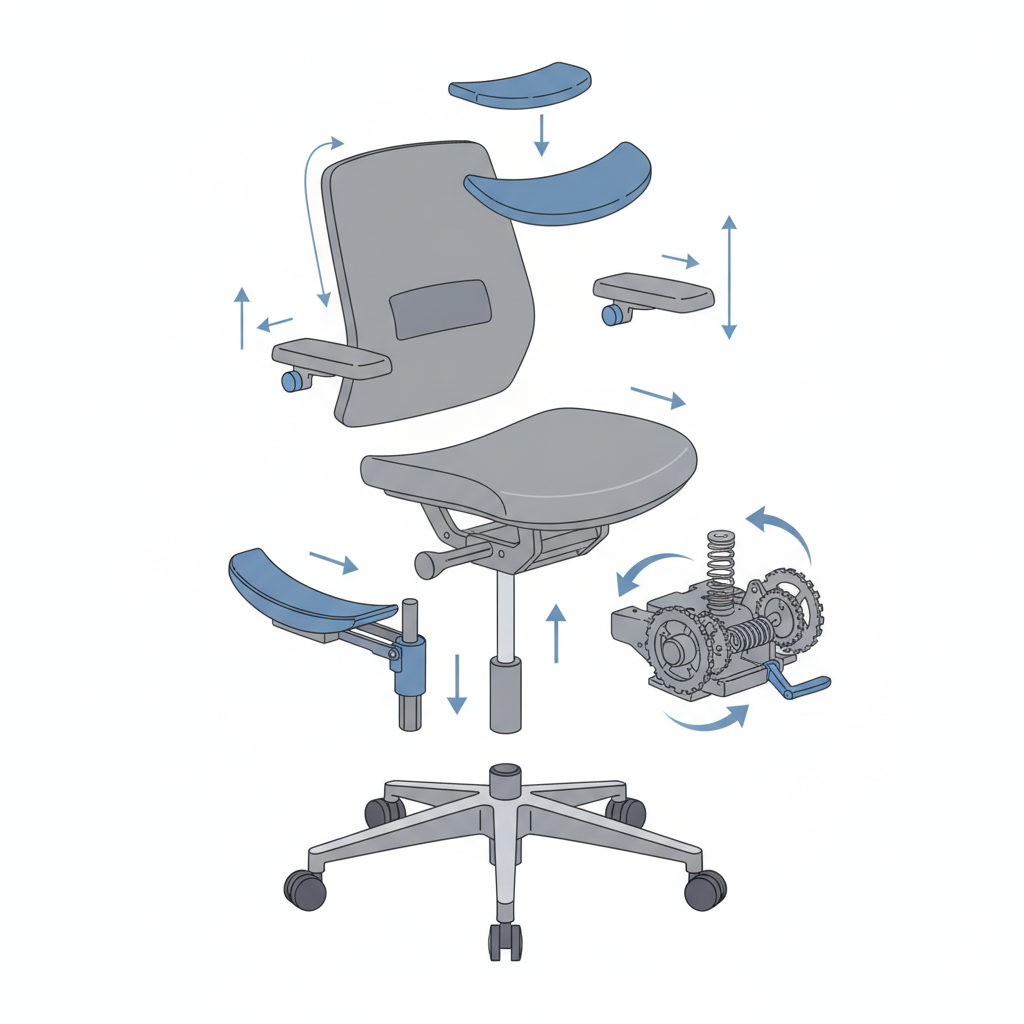
The right ergonomic features significantly reduce spinal stress.
- Adjustable lumbar support
Allows users to align support precisely with their spinal curve. - Adjustable seat height
Ensures proper alignment between hips, knees, and feet. - Adjustable seat depth
Supports thighs properly without forcing users forward. - Reclining backrest with tilt tension control
Allows movement and reduces static pressure. - Stable ergonomic structural design
Provides consistent spinal support throughout the workday.
How to Choose the Right Office Chair If You Have Back Pain
Selecting the right chair depends on several factors.
- Based on sitting duration
Long sitting durations require advanced ergonomic support and adjustability. - Based on body height and proportions
Chair dimensions must match your body size for proper support. - Based on work type
Computer-intensive work requires stable posture support for extended periods. - Based on adjustability needs
More adjustable features allow better customization and support.
Best Sitting Position to Prevent Back Pain in an Office Chair
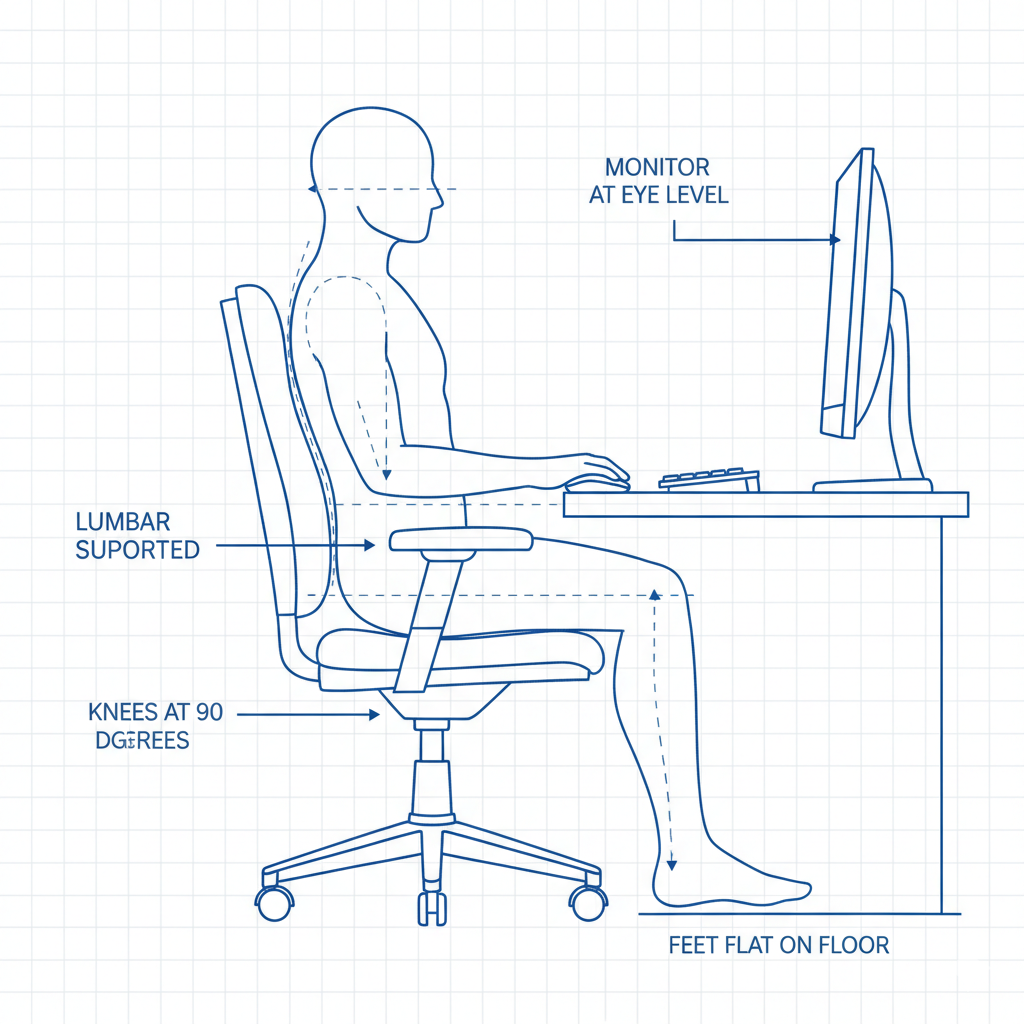
Use this checklist to maintain proper posture:
- Feet flat on the floor
- Lower back supported
- Hips fully against the backrest
- Shoulders relaxed
- Head aligned with spine
- Monitor at eye level
Proper posture distributes load evenly and reduces strain.
Office Chair vs Sitting vs Standing: Which Is Healthiest?
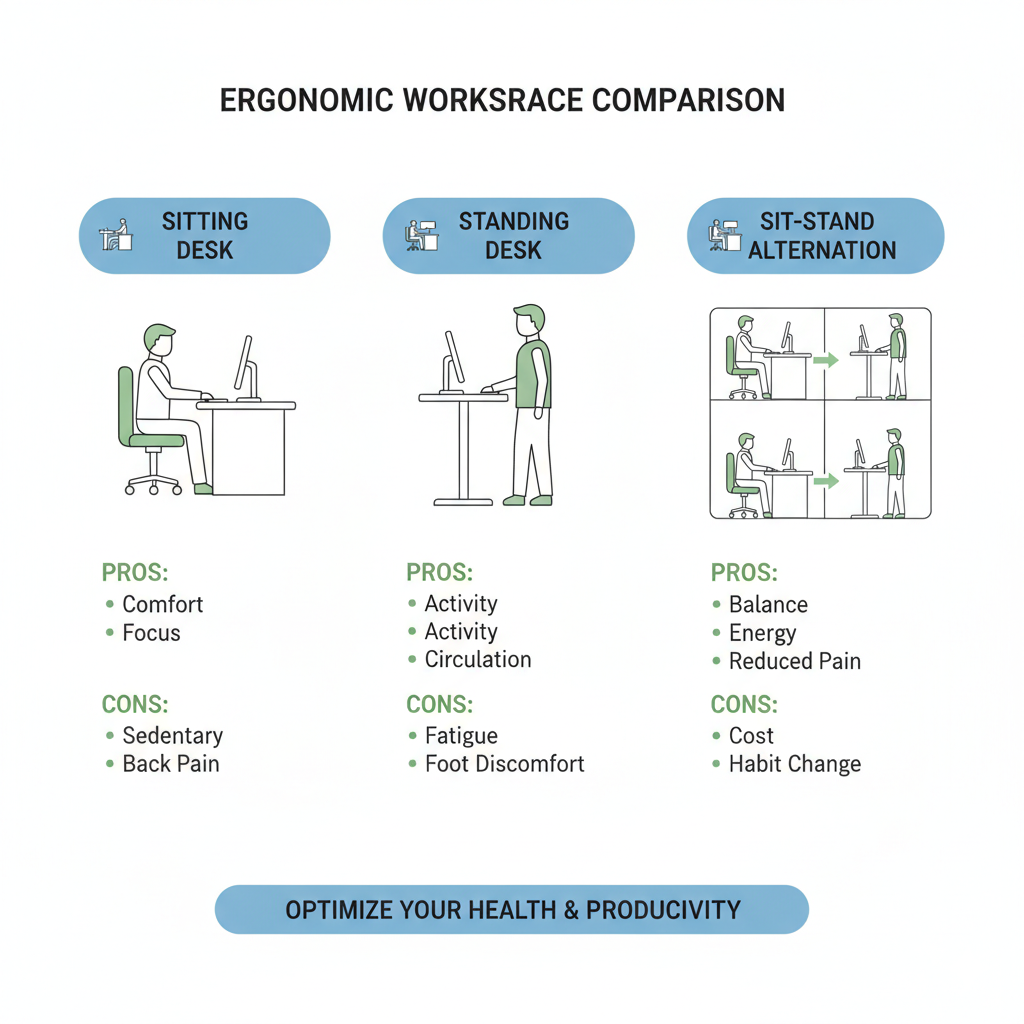
Each position has advantages and limitations.
| Position | Benefits | Limitations |
|---|---|---|
| Sitting with ergonomic support | Comfortable, sustainable | Still increases disc pressure |
| Standing | Reduces disc pressure | Causes fatigue over long periods |
| Alternating between sitting and standing | Best balance | Requires workstation adjustment |
Alternating positions provides the best long-term spinal health.
How Often You Should Stand and Move
Even with a good chair, movement is essential.
Standing or walking briefly every 30 to 45 minutes:
- Restores circulation
- Reduces disc pressure
- Prevents muscle fatigue
Movement plays a key role in spinal health.
Long-Term Prevention Strategy for Office Workers
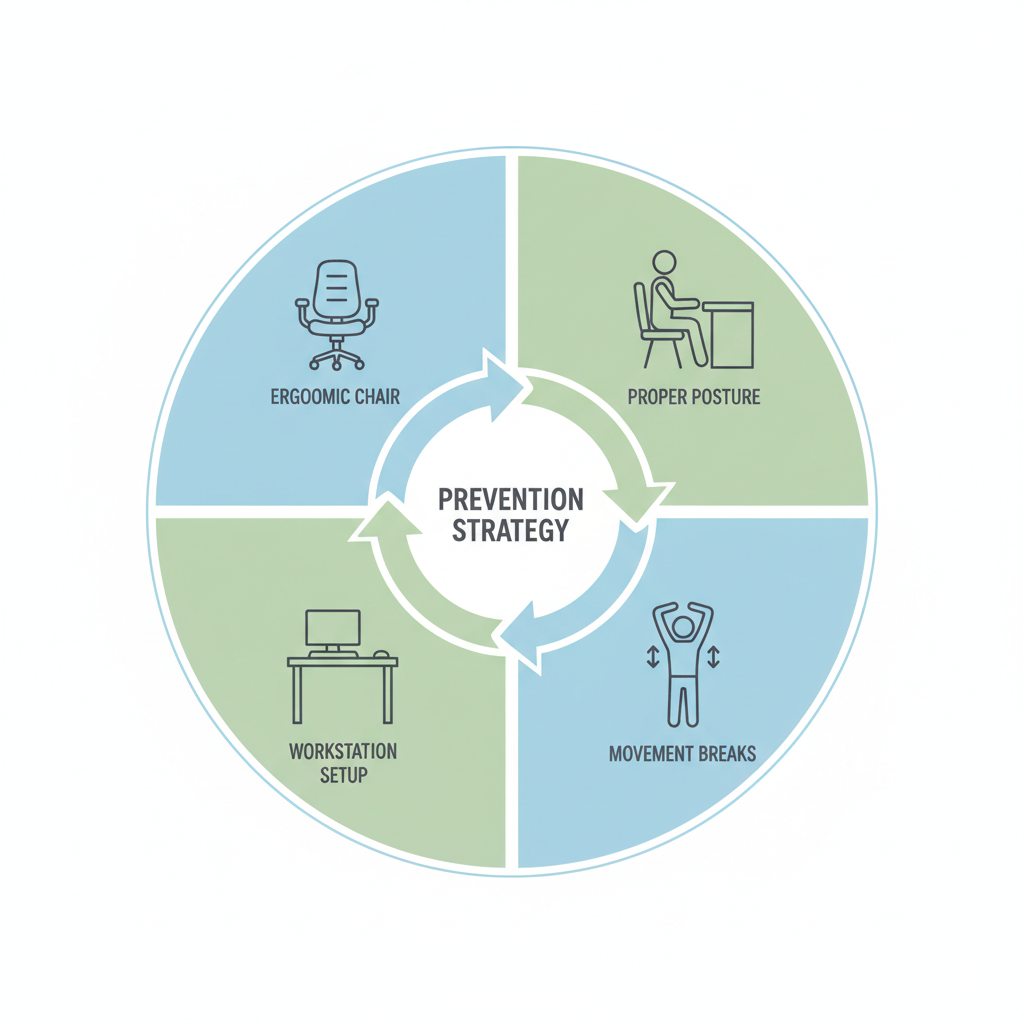
Preventing back pain requires a combination of factors:
- Using a properly designed ergonomic chair
- Maintaining proper posture
- Adjusting workstation setup
- Taking regular movement breaks
These measures reduce long-term spinal stress.
When Back Pain May Not Be Caused by Your Office Chair
Some causes of back pain are unrelated to chair design, including:
- Muscle strain
- Injury
- Underlying medical conditions
- Physical imbalances
Persistent or severe pain should be evaluated by a healthcare professional.
FAQ
Why does my back hurt in my office chair?
Back pain often occurs due to insufficient lumbar support, incorrect seat height, or prolonged static sitting.
How do I know if my office chair is causing back pain?
If discomfort develops during sitting and improves when standing or switching chairs, your chair is likely contributing.
Can an office chair permanently damage your back?
Poor support over long periods may contribute to chronic discomfort, but proper ergonomic adjustments significantly reduce risk.
What is the best office chair setup to prevent pain?
Feet flat, lumbar supported, back slightly reclined, and screen at eye level provide optimal support.
How often should I stand from sitting?
Standing or moving every 30 to 45 minutes helps reduce spinal stress and improve comfort.
Conclusion
A sore back from an office chair is often caused by insufficient support, incorrect adjustments, or prolonged static sitting. Understanding how your chair affects spinal alignment allows you to diagnose the problem and make effective improvements.
Proper chair adjustments, ergonomic features, and regular movement can significantly reduce discomfort and protect your spine long-term. Choosing a well-designed chair and maintaining proper posture helps ensure comfort, productivity, and long-term spinal health.