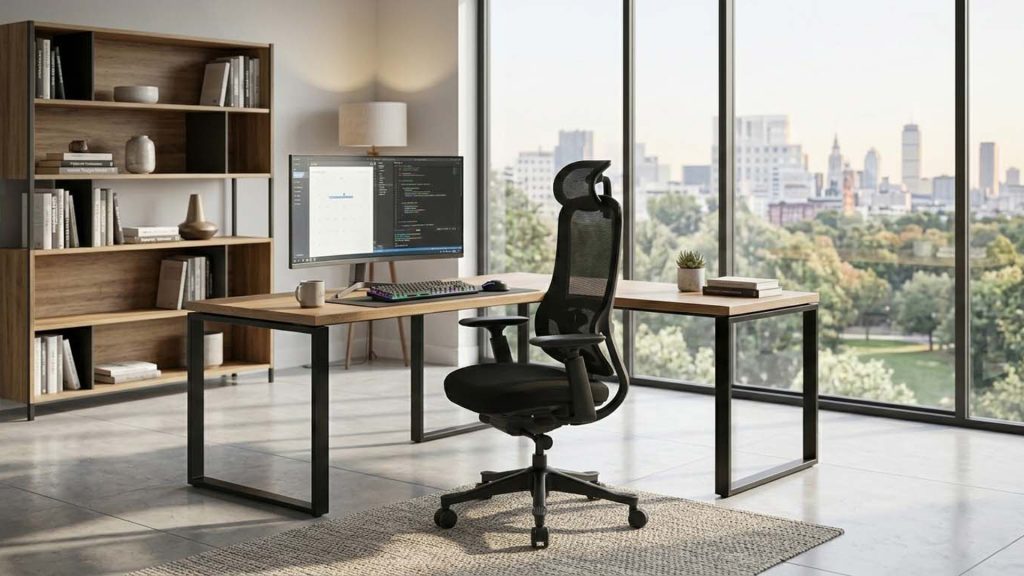
Proper office chair height is not one fixed number. It is the position that keeps your feet supported, your knees and hips comfortable, and your shoulders relaxed when you use the desk and keyboard.
Body height can provide a starting point, but leg length, footwear, desk height and the type of work all affect the final setting. This guide explains how to adjust your chair in the correct order and how to recognize when the chair or desk cannot provide a suitable fit.
Commercial buyers comparing seat-height ranges, widths, depths, backrests and footprints can review our desk chair dimensions guide for office projects.
Why a Standard Chair Height Can Still Feel Wrong
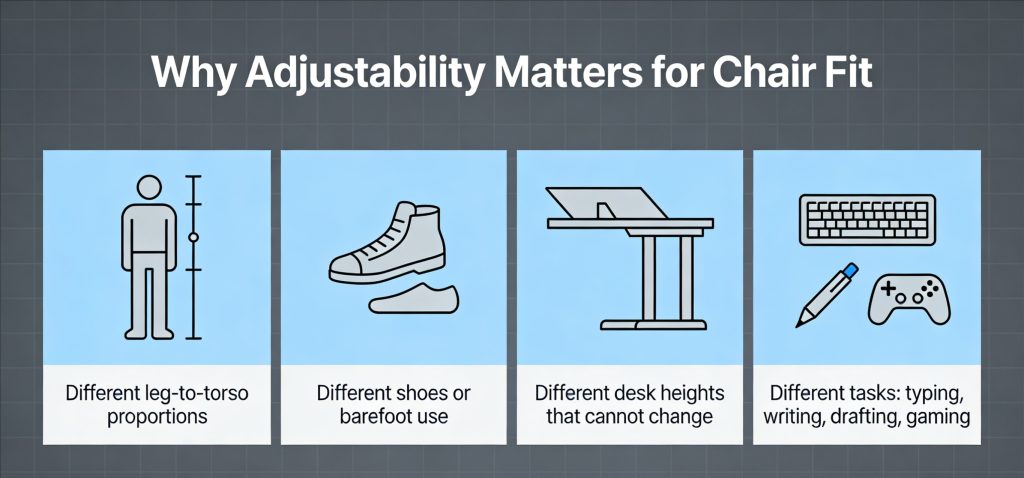
Two people of the same height may require different chair settings because their proportions and workstations are different.
- Leg-to-torso proportions vary.
- Shoes change the effective leg and foot position.
- Some desks can be adjusted, while others are fixed.
- Typing, writing, drafting and other tasks require different working-surface positions.
- Seat depth and lumbar position affect whether the user can remain against the backrest.
Feet resting on the floor is important, but it is not the only test. A chair can appear low enough while still forcing the shoulders upward, the pelvis forward or the wrists into an uncomfortable angle.
What Proper Office Chair Height Means
The chair is close to the correct height when the following conditions can occur at the same time:
- Your feet are supported. The full foot rests on the floor or on a stable footrest rather than hanging or balancing on the toes.
- Your knees and hips feel stable. The knees are approximately level with or slightly below the hips, without excessive pressure behind the knees.
- Your thighs are supported. The seat supports the thighs while leaving clearance near the back of the knees.
- Your shoulders remain relaxed. You do not need to shrug or reach upward to use the keyboard.
- Your wrists remain neutral. You are not bending the wrists sharply upward to reach the work surface.
It is useful to separate the setup into two goals:
- Lower-body goal: Set the chair relative to your feet, knees and hips.
- Upper-body goal: Position the desk, keyboard and screen relative to the chair.
Set the lower body first. Then adjust the desk and equipment around that position whenever possible.
Seat Height by Body Height as a Starting Point
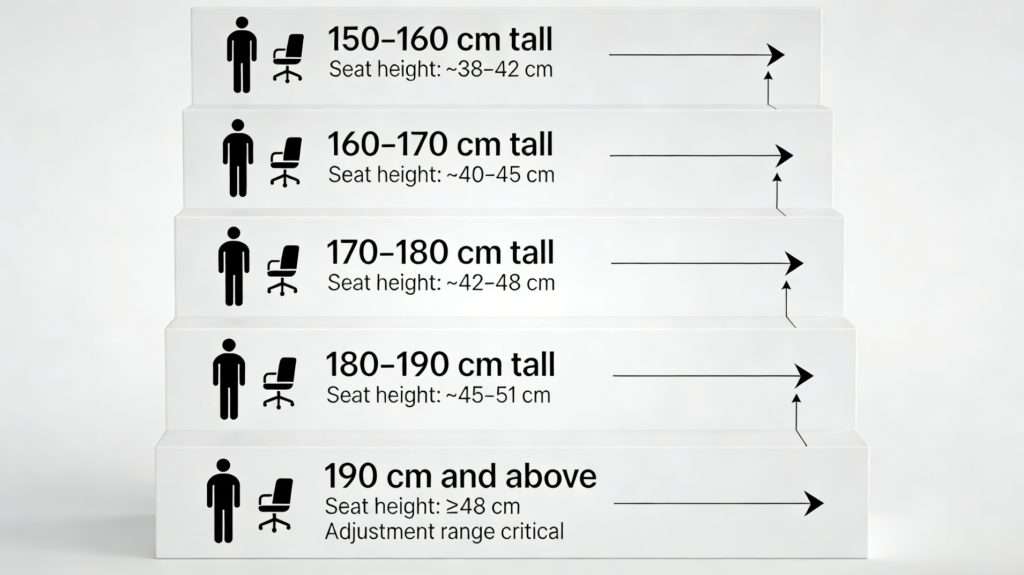
The ranges below can help you begin the adjustment, but they should not replace the posture checks later in this guide.
| Approximate User Height | Seat-Height Starting Range |
|---|---|
| 150–160 cm | 38–42 cm |
| 160–170 cm | 40–45 cm |
| 170–180 cm | 42–48 cm |
| 180–190 cm | 45–51 cm |
| 190 cm and above | Approximately 48 cm and above, depending on leg length |
If the suitable position is at the very top or bottom of the chair’s adjustment range, the chair may not provide sufficient flexibility for that user.
Should You Adjust the Chair or Desk First?
When the Desk Height Is Adjustable
- Set the chair height for your feet, knees and hips.
- Adjust the seat depth and lumbar support.
- Raise or lower the desk so the forearms can work without lifting the shoulders.
- Adjust the monitor after the chair and desk positions are stable.
When the Desk Height Is Fixed
- Begin with the chair at a height that supports the lower body.
- If the desk is too high, raise the chair enough to relax the shoulders and use a footrest to restore foot support.
- If the desk is too low, avoid lowering the chair until the knees and hips feel cramped.
- Where possible, raise the desk or use a correctly positioned keyboard tray.
A fixed desk should not force you to choose between lower-body support and relaxed shoulders. A footrest, keyboard tray or adjustable desk may be needed to resolve the mismatch.
How to Set Office Chair Height Step by Step
Step 1: Move Away From the Desk
Roll the chair back so the desk does not influence your posture. Sit fully against the backrest rather than perching on the front edge.
Step 2: Adjust the Seat Relative to the Floor
Raise or lower the seat until the full soles of both feet are supported. Your knees should feel comfortable rather than sharply bent or stretched downward.
A practical starting method is to stand in front of the chair and position the top of the seat close to the level just below your kneecap. Sit down and then fine-tune the setting.
Step 3: Check Seat Depth
Sit against the backrest and check the clearance between the front edge of the seat and the back of your knees. The edge should not press into the legs. Use the seat-depth adjustment where available.
Step 4: Adjust Lumbar and Back Support
Position the lumbar support against the inward curve of the lower back. The backrest should allow you to remain supported without forcing you to lean forward.
Step 5: Move to the Desk
Bring the chair toward the desk and place your hands in the normal working position. Your shoulders should remain relaxed and your elbows should stay close to the body.
If your shoulders rise, the desk, keyboard or armrests may be too high. If you must lean forward, the desk may be too far away or the armrests may prevent the chair from moving close enough.
Step 6: Position the Monitor
After the chair and desk are set, position the monitor so you can look at the screen without repeatedly tilting the head upward or leaning forward. The monitor should generally be placed at a comfortable viewing distance and height for the user.
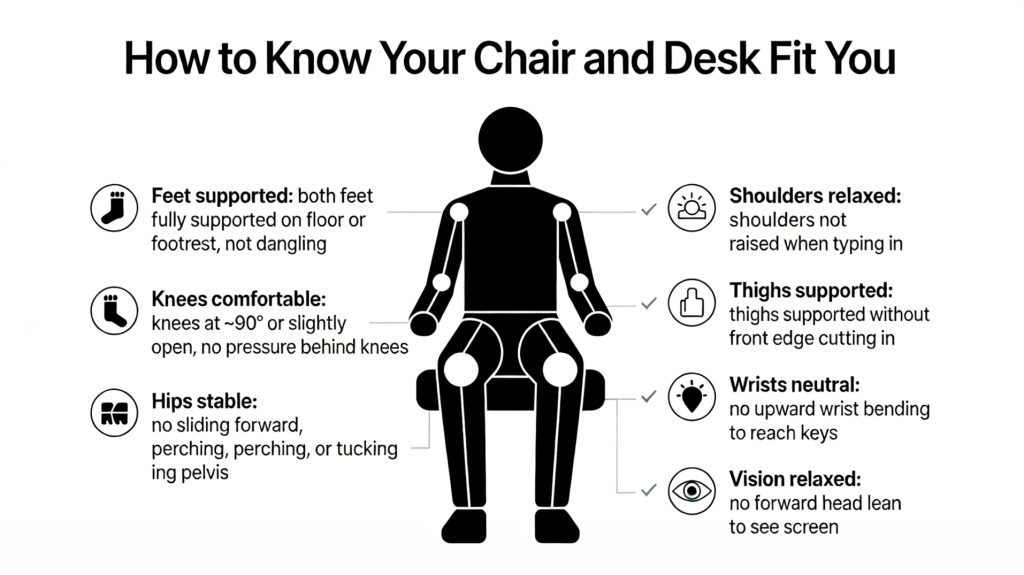
One-Minute Chair Height Checklist
Sit in your normal working position and check the following:
- Feet: Both feet are fully supported on the floor or a footrest.
- Knees: The knees are comfortable, with no pressure behind them.
- Hips: You are not sliding forward or tucking the pelvis to reach the desk.
- Thighs: The seat supports the thighs without cutting into the legs.
- Back: You can remain against the backrest while working.
- Shoulders: The shoulders remain relaxed while typing.
- Wrists: The wrists are not sharply bent upward.
- Head: You do not lean forward to see the screen.
If several items fail, reset the chair height and repeat the setup in order rather than making isolated adjustments.
What to Do When the Chair Cannot Reach the Correct Height
The Chair Is Too High at Its Lowest Setting
Common signs include dangling feet, pressure behind the knees and a feeling of sitting on the front edge.
- Use a stable footrest that supports the full foot.
- Consider a chair with a lower minimum seat height.
- Check whether excessive seat depth is also preventing backrest contact.
- Avoid sitting permanently on the front edge to reach the floor.
The Chair Is Too Low at Its Highest Setting
Common signs include knees positioned well above the hips, cramped legs and difficulty reaching the work surface without shoulder tension.
- Choose a chair with a higher maximum seat position.
- Consider a model designed for taller users.
- Do not add an unstable loose cushion simply to increase height.
- Confirm that the desk itself is not unusually high.
The Desk Is the Main Constraint
If repeated chair adjustments do not solve the problem, the desk or keyboard position may be causing the mismatch.
- Raise the chair enough to support the arms comfortably.
- Add a stable footrest if the feet no longer reach the floor.
- Lower the keyboard and mouse where possible.
- Move frequently used equipment closer to the body.
- Consider an adjustable desk if the workstation is used for extended periods.
Proper Office Chair Height FAQs
Should my knees be at exactly 90 degrees?
No exact angle is suitable for every person. The knees should feel comfortable, the feet should be supported and the seat should not press into the back of the legs.
Should my feet always touch the floor?
The feet should be supported by either the floor or a stable footrest. Dangling feet can increase pressure beneath the thighs and make the seated position less stable.
What is the standard height of an office chair?
There is no single standard height that fits every user. Adjustable office chairs commonly cover a range of seat heights, while the correct setting is the one that supports the feet and keeps the knees approximately level with or slightly below the hips. Buyers comparing minimum and maximum seat-height specifications should also consider the user’s leg length and desk height.
What should I do if my desk is too high?
Raise the chair enough to use the keyboard without lifting the shoulders, then add a footrest if the feet are no longer supported. An adjustable desk or keyboard tray may provide a better long-term solution.
Can a footrest fix an unsuitable chair?
A footrest can resolve a floor-support problem when the chair must be raised for the desk. It cannot correct excessive seat depth, insufficient back support or an adjustment range that is fundamentally unsuitable for the user.
How often should I readjust my chair?
Readjust the chair when changing desks, footwear, work tasks or users. Shared workstations should be adjusted at the beginning of each working session.
Conclusion
Proper office chair height is the result of aligning the chair, body and workstation rather than copying one measurement from a chart. Begin with supported feet and a stable lower body, then adjust the desk, keyboard and monitor around that position.
If the chair cannot support both your lower body and working position, the adjustment range or desk height may be unsuitable. Explore VASEAT’s ergonomic office chair range for models with different seat-height, seat-depth and armrest configurations.