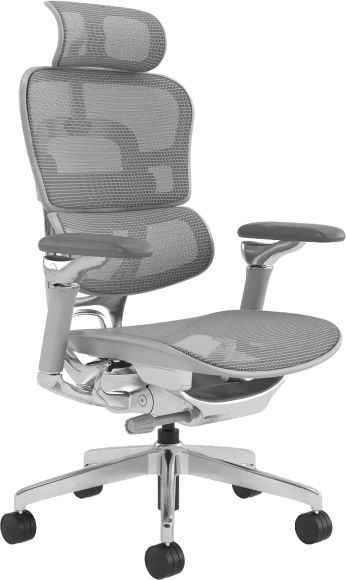
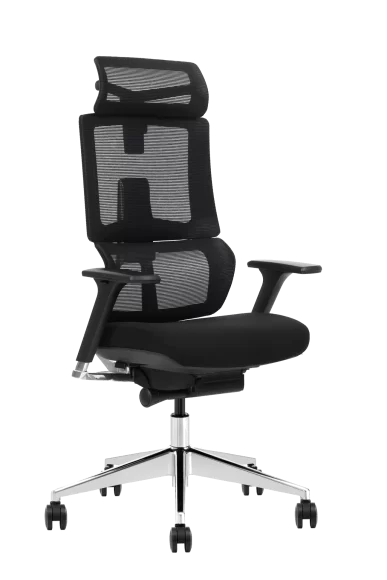
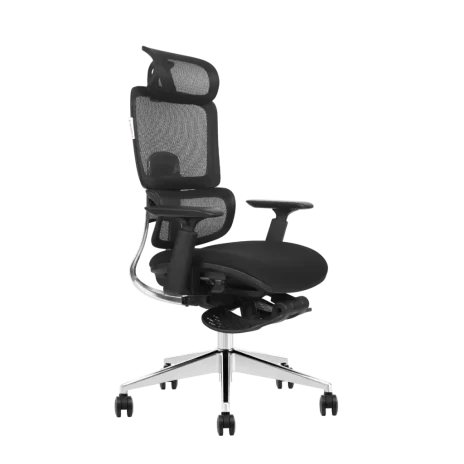
If your adjustable armrests don’t move in at least three directions, your shoulders are doing work the chair should be doing — and over an eight-hour day that adds up to noticeable trapezius fatigue. 3D armrests (height, width, pivot) fit most office workers; 4D armrests add depth adjustment and are the right call for anyone alternating between keyboard, mouse, and reclined thinking time. Fixed arms, despite being the cheapest option on the spec sheet, are the single most common reason new chairs end up causing discomfort instead of relieving it.
Why Adjustable Armrests Are a Clinical Feature, Not a Styling Choice
Here’s the part most buyers miss: the armrest is the only part of an office chair that directly supports the upper kinetic chain. The seat handles your pelvis. The backrest handles your spine. But your shoulders, neck, and forearms? Those depend almost entirely on whether your elbows are properly supported at roughly 90 degrees, with the shoulders relaxed and the wrists neutral.
When the armrest is too low, your trapezius muscles fire constantly to keep the shoulders from collapsing forward. Too high, and you elevate the shoulders into a low-grade shrug for hours. Too far apart, and you flare the elbows out, internally rotating the shoulder joint. Each of these is small in isolation. Multiply by 2,000 working hours a year and you have a clinical problem.
This is why we treat armrests as part of the same conversation as lumbar support and lower back pain — they’re not accessories, they’re load-bearing structures for human tissue.
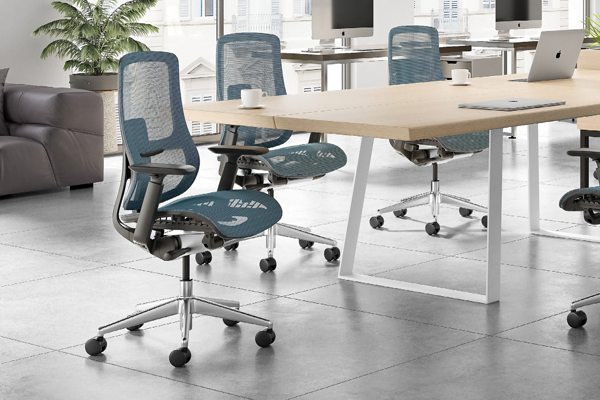
What “3D” and “4D” Actually Mean
The marketing language has gotten sloppy, so let’s be precise. The “D” refers to independent axes of adjustment.
- 1D / Height-adjustable: The armrest moves up and down only. Usually 70–100 mm of travel.
- 2D: Height plus width — the entire arm slides closer to or further from the seat, typically 40–60 mm per side.
- 3D: Adds pivot. The armrest pad rotates inward or outward around a vertical axis, usually ±15° to ±30°.
- 4D: Adds depth (forward/back slide of the pad), typically 50–80 mm.
The honest takeaway: 3D is the floor for any chair someone sits in more than four hours a day. 4D is where you go when users switch postures often — coding, then leaning back to read, then pulling forward to sketch. The depth axis is what lets the armrest follow the elbow as the user reclines, instead of leaving a gap that forces the shoulder to drop.
The Real Shoulder Cost of Fixed Arms
Fixed armrests are usually defended with one of two arguments: “they’re cheaper” or “they’re more durable because fewer moving parts.” Both are true. Both miss the point.
A fixed armrest is calibrated for one body and one desk height. The problem is, the person sitting in it is rarely the person it was calibrated for. If the armrest sits 5 cm too high relative to your desk, you’ll either slide the chair down (compressing your knees) or shrug your shoulders up. If it’s 5 cm too low, you’ll lean to one side every time you reach for the mouse — a classic cause of unilateral neck and trapezius pain.
For example, a logistics firm we worked with replaced 80 visitor-style fixed-arm chairs in their dispatch room with 3D-armrest task chairs after three operators filed musculoskeletal complaints within six months. The fixed arms hadn’t seemed like the obvious culprit — but they were the only variable that couldn’t accommodate the operators’ different builds. Complaints dropped to zero the following quarter.
Fixed arms have their place: short-duration seating, conference rooms, reception. We cover those scenarios in our conference room chair guide. They do not belong on an eight-hour task chair.
How to Set Armrests Correctly (Most People Get This Wrong)
Adjustability is wasted if nobody uses it. In a 2023 internal audit of one of our enterprise clients, fewer than 20% of employees had ever adjusted their armrests after the initial install. So here’s the protocol — share it with your team.
Step 1: Set the seat height first
Feet flat, knees at 90–100°, thighs parallel to the floor. The armrest setting depends on this, not the other way around.
Step 2: Height — elbows at 90°, shoulders relaxed
Drop your arms to your sides, bend at the elbow, then raise the armrest until it just kisses the underside of your forearm. If you feel any shoulder lift, it’s too high.
Step 3: Width — armrests just outside the ribcage
The pads should sit roughly under your shoulder joint, not under your armpit. Too wide and you flare the elbows; too narrow and you tuck them and pronate the wrist.
Step 4: Pivot — angle inward for keyboard, outward for reclining
For typing, a slight inward angle (10–15°) keeps the wrist straight. For reading or calls, neutral or slight outward is more relaxing.
Step 5 (4D only): Depth — pad ends just behind the wrist
The forearm should be supported through the meaty part of the muscle, not at the elbow point alone (which creates a pressure spot on the ulnar nerve — the “funny bone” tingling many people blame on bad mice).
The Materials Question: PU Pad, Soft-Touch, or Mesh-Wrapped?
Most people focus on the mechanism and ignore the pad. That’s a mistake — the pad is the part actually touching skin for thousands of hours.
- Hard plastic pads: Cheap and durable, but cause numbness within 30–45 minutes for most users. Avoid for daily use.
- PU (polyurethane) molded pads: The current standard. Good balance of cushion, hygiene, and lifespan (typically 5–7 years before noticeable compression set). See our breakdown of what PU actually is if you’re vetting suppliers.
- Soft-touch TPU / silicone-blend pads: Premium feel, slightly tacky surface that grips the forearm. Excellent for hot climates because they don’t “sweat” like vinyl.
- Mesh-wrapped pads: Best ventilation, but the mesh wears at the inner edge where the forearm pivots. Better for cooler offices.
A practical rule: if your office runs warm or your users wear short sleeves most of the year, prioritize soft-touch over hard PU. The complaint rate on “sticky armrests” in humid climates is one of the most common warranty issues we see, and it’s almost entirely a pad material choice.
Armrest Failures: Where Cheap Chairs Break First
If a budget chair is going to fail mechanically, it usually fails at the armrest before anywhere else. The reasons are predictable:
- Stripped height-lock buttons: Plastic-on-plastic locking mechanisms wear out within 18 months of heavy use. Look for metal pawl-and-ratchet locks.
- Wobbling pads: The pivot bushing wears, creating lateral play. Quality chairs use a steel pin through a nylon sleeve; cheap ones skip the sleeve entirely.
- Snapped support arms: The L-shaped support that connects the seat pan to the pad is the highest-stress single component. Glass-fiber reinforced nylon is the minimum acceptable spec; die-cast aluminum is better.
This is one reason we encourage buyers to look beyond the spec sheet and ask about the underlying chair mechanism — armrest quality usually tracks with mechanism quality, because the same supplier philosophy produces both. If you’re evaluating long-term cost of ownership, also read our take on when office chairs actually need replacing.
Specifying Armrests for Different Roles
Not every seat in the building needs 4D. Smart specification means matching the armrest to the use case — and that’s where most large projects either save money or waste it.
Developers, designers, analysts (8+ hours)
4D, soft-touch pad, with pivot. These users shift postures constantly and need the depth axis. The investment pays back in retention alone.
General office / admin (6–8 hours)
3D, PU pad. Covers 95% of postural needs without the premium of 4D.
Call center / 24-hour operations
4D with reinforced metal frame. The chair sits in a different body every shift — adjustability is non-negotiable, and the mechanism gets three times the duty cycle of a single-user chair.
Executive offices
3D or 4D depending on hours of use. Don’t be fooled by traditional “executive” designs with fixed wood or padded fixed arms — they look the part but punish the shoulders.
Meeting and visitor
Fixed or 1D is fine. Sub-90-minute use windows don’t justify the cost.
If you’re mapping all of this against a real procurement spec, our guide on office chair types and project selection walks through the decision tree role by role.
Questions to Ask Your Supplier Before You Buy
If you remember nothing else, take these five questions to your next supplier meeting:
- What’s the lock mechanism inside the height adjustment — plastic or metal? If they don’t know, that’s an answer.
- What’s the cycle-tested life of the armrest, in BIFMA or EN 1335 terms? A serious supplier will quote a number (usually 60,000+ cycles for premium arms).
- Is the depth slider on the 4D mechanism stepped or continuous? Continuous is more comfortable but slips more easily — well-designed chairs use stepped (notched) adjustment.
- What pad materials are offered, and what’s the compression set spec? Anything over 15% compression set after 50,000 cycles will feel flat within two years.
- Can the armrest be replaced as a unit if it fails, or does the whole chair need rework? Modular replacement saves significant cost over a 10-year fleet.
You can compare our chair platform answers to these on the partnership page if you’re evaluating Vaseat for a specific project.
The Bottom Line on Adjustable Armrests
Armrests are the most under-specified component on most office chairs and the most over-blamed when employees complain of shoulder pain. Treat them as a clinical feature: 3D for most desk roles, 4D for heavy or shift-based use, fixed only where sitting time is under 90 minutes. Pair the right mechanism with the right pad material, train your team to actually use the adjustments, and you’ll eliminate one of the top three sources of office-related musculoskeletal complaints.
If you’re scoping a new fitout or upgrading a fleet, talk to us at Vaseat about which armrest configuration fits your headcount and workload profile — we’d rather help you spec it right than sell you the wrong thing twice.