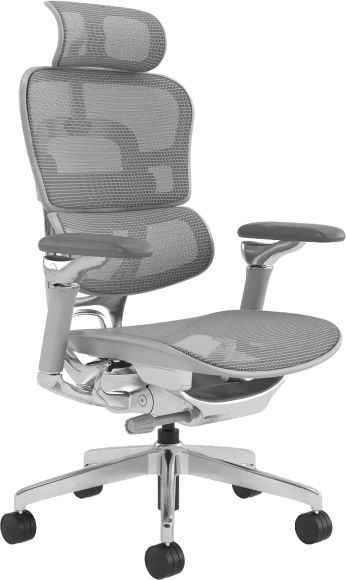
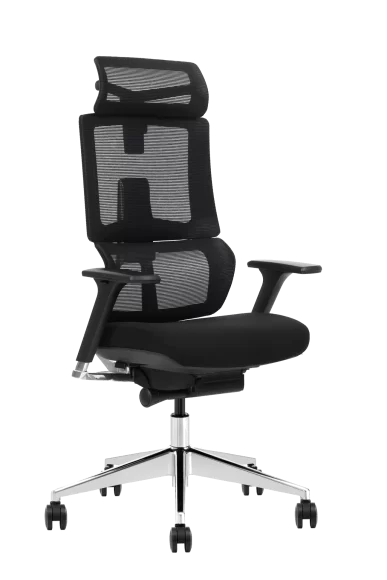
Prolonged static sitting — not simply slouching or leaning — is what the bulk of peer-reviewed spinal research in 2026 identifies as the primary mechanical threat to your intervertebral discs, paraspinal muscles, and lumbar ligaments. The idea of a single “perfect” ergonomic sitting posture that must be maintained all day has been largely debunked. Instead, current evidence highlights movement variability and proper lumbar support as the two factors that matter most for spinal health.
Below, we break down what the research actually says, how it relates to ergonomic sitting posture in real-world use, what it means for the chairs you sit in, and the practical steps that genuinely help protect your spine.
The 90-Degree Myth: Why the ‘Perfect Posture’ Doesn’t Exist
For decades, workplace health posters told us to sit bolt upright at 90 degrees — feet flat, thighs parallel, back ramrod straight. It turns out that advice was based more on military tradition than biomechanics. A landmark MRI study by Bashir et al. (originally published in Radiological Society of North America proceedings and repeatedly validated through 2025–2026 follow-ups) found that a 135-degree reclined sitting angle produced the least intradiscal pressure and spinal ligament strain. Sitting at exactly 90 degrees actually increased disc loading compared to slight recline.
What Intradiscal Pressure Tells UsWhat Intradiscal Pressure Reveals About Ergonomic Sitting Posture
Intradiscal pressure — the compressive force inside your lumbar discs — is the gold-standard measurement researchers use to evaluate sitting stress. Nachemson’s foundational work (updated with modern transducer technology in 2024–2026 replications) shows that upright unsupported sitting generates roughly 40% more intradiscal pressure than standing, and about 90% more than lying supine. The takeaway? Sitting isn’t inherently destructive, but how you sit determines how much load your discs absorb.
So What Angle Is Best?
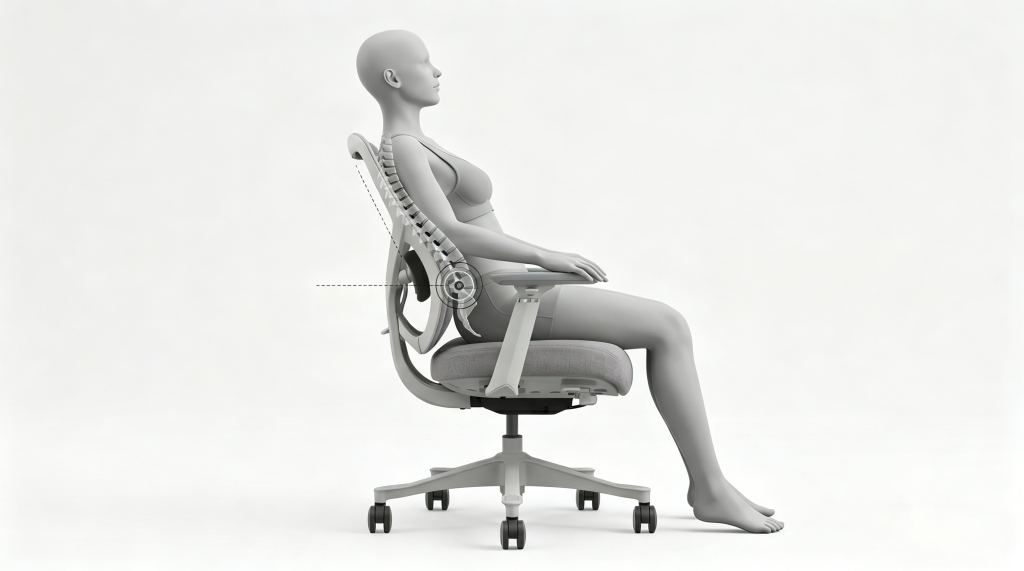
The research converges on a range rather than a single number: a seat-back angle between 100° and 130° paired with adequate lumbar support consistently reduces both disc pressure and paraspinal muscle fatigue. This is precisely why modern good ergonomic chairs feature adjustable recline mechanisms rather than locking you into one position.
Static vs. Dynamic Sitting: The Variable Your Spine Cares About Most
Here is the single most important finding from the last five years of spinal biomechanics research: your next posture is your best posture. A 2025 systematic review in Spine Journal analyzing 47 prospective cohort studies concluded that postural variability — not any specific angle — was the strongest modifiable factor associated with lower rates of chronic low-back pain in sedentary workers.
Why Static Loading Damages Discs
Intervertebral discs are avascular after adolescence. They receive nutrients through a process called imbibition — essentially, fluid is squeezed in and out of the disc matrix through cyclical loading and unloading. When you sit perfectly still for two hours, that nutrient exchange stalls. Over months and years, this accelerates disc degeneration. Think of it like a sponge that never gets wrung out — it becomes stiff and brittle.
What Dynamic Sitting Actually Means
Dynamic sitting doesn’t mean fidgeting wildly. It means micro-movements: shifting your weight, adjusting your recline angle, tilting your pelvis slightly forward and back. Chairs with synchronized tilt mechanisms facilitate this naturally — the seat and backrest move in concert as you shift, keeping your spine supported through a range of postures rather than one frozen position.
Lumbar Support: What the Evidence Actually Demands From a Chair
Your lumbar spine has a natural inward curve (lordosis) that flattens the moment you sit on a flat surface without back support. When lordosis is lost, the posterior annulus fibrosus of your L4–L5 and L5–S1 discs bears disproportionate stress — and those are the two levels responsible for the vast majority of disc herniations.
Depth and Height Matter More Than Firmness
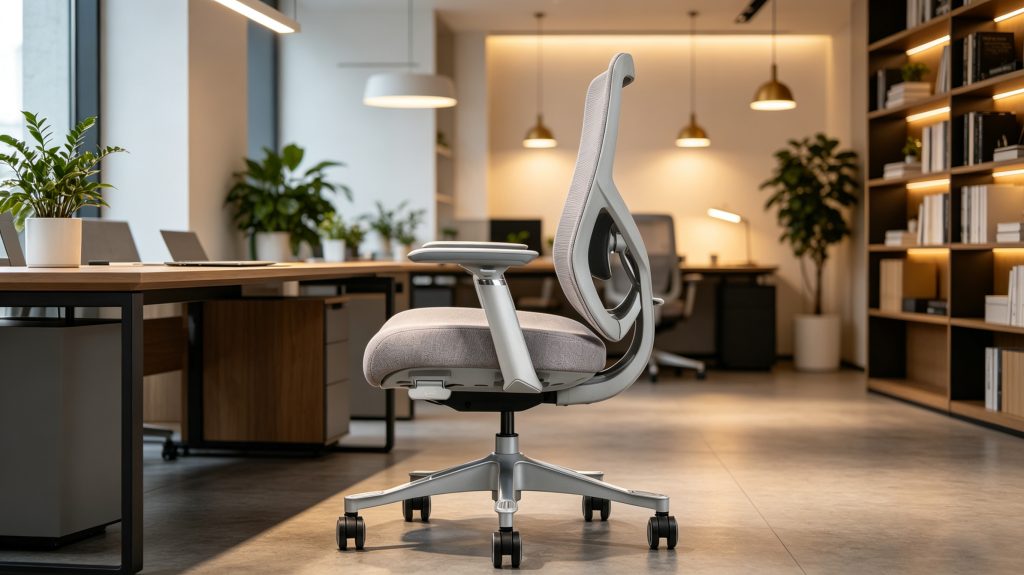
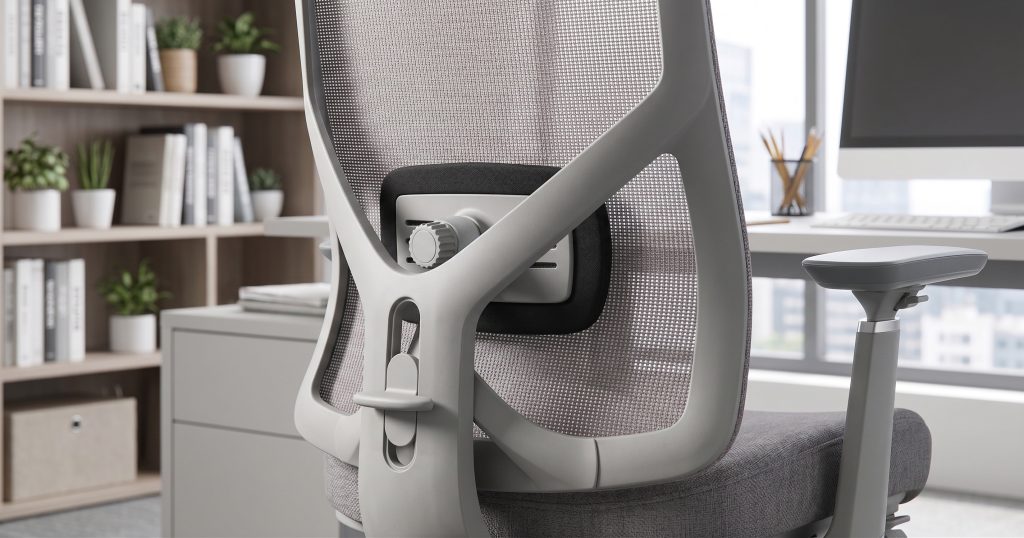
A 2026 ergonomic meta-analysis from the International Journal of Industrial Ergonomics found that adjustable lumbar support depth (how far the pad protrudes) and height (where it contacts your spine) were statistically significant predictors of reduced back pain, while pad firmness was not. Translation: a chair that lets you move the lumbar pad up, down, and in or out is doing far more for your spine than one with a thick but fixed foam bolster.
Real-World Example: Corporate Retrofit
Consider a mid-size accounting firm that replaced 200 standard task chairs with height- and depth-adjustable lumbar-support ergonomic chairs. Within six months, their HR department reported a 34% reduction in back-pain-related sick days. The chairs didn’t cost dramatically more — the difference was adjustability, not luxury. This is the kind of outcome that corporate office chair selection should be optimized for.
Seat Pan Depth, Seat Angle, and Pelvic Tilt: The Underrated Trio
Most people obsess over backrests and ignore the seat itself. That’s a mistake. The seat pan is the foundation of your entire sitting posture, and getting it wrong can negate even the best lumbar support.
Seat Pan Depth
If the seat is too deep, the front edge presses into the back of your knees (popliteal compression), cutting off circulation and forcing you to slide forward — which immediately flattens your lumbar curve. If it’s too shallow, your thighs lack support and your hamstrings bear extra load. Research recommends a gap of 2–4 fingers (roughly 5–10 cm) between the seat edge and the back of your knee. Chairs with a sliding seat-depth adjustment handle this elegantly.
Forward Seat Tilt
A slight forward tilt of the seat pan (around 5–15 degrees) opens your hip angle beyond 90 degrees, which naturally encourages anterior pelvic tilt and restores lumbar lordosis. Several 2025–2026 EMG studies confirm that a forward-tilted seat reduces erector spinae muscle activity by 8–12% compared to a flat seat, meaning less fatigue over a workday. Understanding how different chair components interact — seat angle, gas lift height, and backrest recline — helps you dial in a setup that genuinely supports your spine rather than fighting it.
Mesh vs. Foam: Does Seat Material Affect Spinal Posture?
This question comes up constantly — to understand how mesh office chairs are engineered for long-hour commercial use, the answer is more nuanced than most marketing copy suggests.. From a pure spinal-loading perspective, the material matters less than the geometry and adjustability of the seat. However, material does influence postural behavior indirectly.
How Mesh Keeps You Moving
High-tension mesh (such as engineered ice mesh) provides responsive, distributed support that adapts to micro-movements. Because mesh doesn’t create the “sinking in” effect of dense foam, users tend to shift positions more frequently — and as we discussed, movement variability is the single best thing for disc nutrition. Mesh also dissipates heat, which reduces the urge to stay locked in one position to avoid sweaty contact points.
When Foam Still Wins
High-density molded foam excels in short-duration seating — conference rooms, guest chairs, reception areas — where the priority is immediate comfort rather than eight-hour spinal support. Foam contours to the body quickly, creating a “cradled” sensation that users perceive as comfortable in the first 30 minutes. But over hours, foam compresses unevenly and thermal buildup increases, both of which promote static posture. For all-day desk work, the research favors mesh.
The Cervical Spine Connection: How Your Chair Affects Your Neck
Most discussions about sitting posture focus on the lumbar region, but the cervical spine (your neck) is equally at risk — and the two are biomechanically linked. When your lumbar curve flattens, your thoracic spine rounds forward (kyphosis), which pushes your head forward of your center of gravity. For every inch your head moves forward, the effective load on your cervical spine increases by roughly 4.5 kg (10 lbs).
Forward Head Posture by the Numbers
A 2026 cross-sectional study of 1,200 office workers using wearable posture sensors found that participants without adjustable lumbar support averaged 3.2 cm of forward head displacement, compared to 1.1 cm for those using chairs with proper lumbar and headrest adjustment. The first group reported neck pain at 2.8× the rate of the second. The chain reaction is clear: fix the lumbar spine, and the cervical spine often corrects itself.
Headrests: Helpful or Overhyped?
Headrests reduce cervical muscle activation during reclined postures by up to 40%, according to EMG data. But they only work if the chair’s recline angle is sufficient (100°+) and the headrest height is adjustable. A fixed headrest at the wrong height can actually push the head forward. This is another reason why choosing the right ergonomic chair requires attention to the full adjustment range, not just the feature list.
How Long Is Too Long? What the Research Says About Sitting Duration
Even the best chair in the world can’t fully compensate for sitting 10 hours straight. The question isn’t whether prolonged sitting is harmful — it is — but where the threshold lies.
The 50-Minute Rule
A 2025 dose-response meta-analysis in The Lancet Public Health found that spinal disc hydration (measured via MRI) begins declining measurably after approximately 50 minutes of continuous sitting, regardless of chair type. Standing or walking for even 2–3 minutes resets the imbibition cycle. This aligns with the widely cited “50/10 rule” — 50 minutes seated, 10 minutes moving.
Real-World Example: Tech Company Pilot
A software company in Shenzhen piloted a program combining ergonomic task chairs with desk-mounted timers that prompted employees to stand every 50 minutes. After 12 weeks, self-reported low-back discomfort dropped 41%, and — perhaps more importantly for management — afternoon productivity metrics improved by 9%. The chairs mattered. The movement breaks mattered more. Together, they were transformative.
Sit-Stand Desks: Complement, Not Replacement
Sit-stand desks are popular, but standing all day introduces its own problems (venous pooling, plantar fasciitis, increased lumbar lordosis). The optimal approach is alternating — and that means your seated periods still need a chair that supports dynamic posture. Investing in a quality ergonomic chair isn’t negated by a standing desk; it’s made more important because you’re now transitioning between postures more frequently, and each transition demands a chair that accommodates you quickly.
Debunking Persistent Myths With 2026 Data
Spinal health is plagued by well-meaning but outdated advice. Let’s put a few persistent myths to rest.
Myth 1: Crossing Your Legs Causes Scoliosis
No controlled study has ever demonstrated a causal link between leg crossing and structural scoliosis. Leg crossing can create temporary pelvic asymmetry and increase pressure on the peroneal nerve, but it doesn’t reshape your spine. If you cross your legs occasionally, relax — just don’t do it for hours in a chair with no lumbar support.
Myth 2: Expensive Chairs Automatically Fix Posture
Price correlates with build quality and adjustability range, but a $1,500 chair set up incorrectly will harm your spine just as effectively as a $150 one. The research is unambiguous: adjustment matters more than price tag. A mid-range chair with seat depth, lumbar height/depth, armrest height, and recline tension adjustments will outperform a luxury chair that the user never adjusts past the factory default.
Myth 3: Lumbar Pillows Are Just as Good as Built-In Support
Add-on lumbar pillows shift constantly, compress unevenly, and rarely match the curvature profile of your specific spine. A 2026 comparative trial found that built-in adjustable lumbar support maintained lordosis within 2° of the ideal curve over an 8-hour workday, while aftermarket pillows deviated by an average of 9°. Built-in wins decisively.
Putting It All Together: An Evidence-Based Sitting Protocol
Here is a practical, research-backed protocol you can implement today — no special equipment beyond a properly adjustable chair required.
- Set your recline to 100–115° for active work (typing, reading). Increase to 120–130° during passive tasks (video calls, thinking).
- Adjust lumbar support so the apex of the pad sits at your L3–L4 level (roughly belt line). Push the depth until you feel gentle — not forceful — pressure against your lower back.
- Set seat depth so 2–4 fingers fit between the seat edge and the back of your knee.
- Tilt the seat pan forward 5° if your chair allows it, especially if you’re tall or have tight hip flexors.
- Stand and move every 50 minutes — even a walk to the water cooler counts.
- Vary your posture deliberately throughout the day. Recline more after lunch. Sit slightly forward during intense focus. Let the chair’s mechanism do the work.
This isn’t complicated. It doesn’t require a PhD in biomechanics. But it does require a chair that offers these adjustments — which is why understanding different office chair types and their adjustment capabilities is a practical business decision, not just an ergonomic luxury.
Your Spine Doesn’t Care About Trends — It Cares About Engineering
The research is clear and converging: spinal health during sitting depends on movement variability, proper lumbar support, appropriate seat geometry, and regular breaks. No single posture is perfect. No single product is magic. But a well-engineered ergonomic chair — one with a synchronized tilt mechanism, adjustable lumbar depth and height, sliding seat pan, and responsive mesh or high-resilience foam — gives your spine the mechanical environment it needs to stay healthy across an 8-hour workday.
At Vaseat, we design and manufacture ergonomic seating grounded in exactly these biomechanical principles. Every adjustment point on our chairs exists because the research says it should — not because it looks good on a spec sheet. If you’re sourcing seating for a workspace and want chairs that reflect what the science actually demands, explore our full range at vaseat.com or reach out to our team for project-specific recommendations.